HR Software

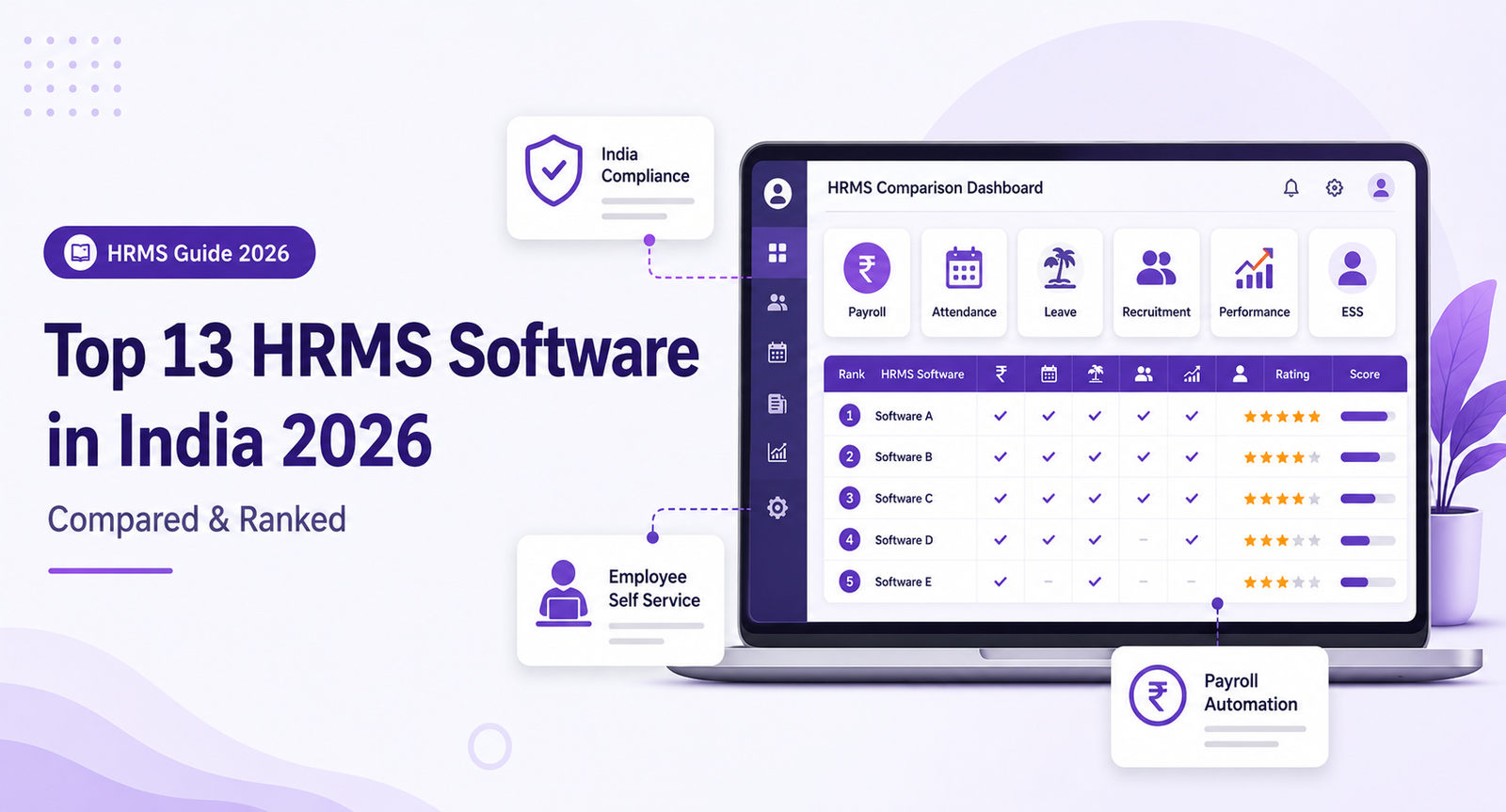
Top 10 Best HRMS Software in India (2026): Features, Pricing & Comparison

AV Antonio Varghese March 25, 2026 41 min read Updated Apr 2, 2026
Top 10 Best HRMS Software in India (2026): Features, Pricing & Comparison

Top 10 Best HRMS Software in India (2026): Features, Pricing & Comparison

Picking the right HRMS software in India feels like walking through a maze blindfolded. There are 50+ options out there. Every one of them claims to be the best. Every one of them promises to “transform your HR.” And yet, most of them can’t even get Telangana Professional Tax right on the first payroll run.

Here’s the truth. Most HRMS comparison articles are written by people who never actually used the software. They just list features from the vendor’s website and call it a “review.” We did things differently.

Our team spent 3 months testing 25+ HRMS platforms. We ran real payroll scenarios. We checked if PF and ESI filings actually worked. We timed how long setup takes. We called customer support at odd hours to see who picks up. And we compared pricing, because some vendors hide costs like it’s a treasure hunt.

The result? This list of the 10 best HRMS software in India for 2026. We ranked them based on real-world testing, not marketing brochures. Whether you run a 10-person startup in Bangalore or a 500-employee company in Hyderabad, you’ll find the right fit here.

By the end of this guide, you’ll know exactly which HRMS to pick, what it will cost you, and how fast you can get it running. No fluff. No “it depends.” Just clear answers.

Key Takeaways

  • HRSoftwareHyderabad is our top pick for companies in Hyderabad and Telangana. It gets Telangana compliance right out of the box, sets up in 48 hours, and costs Rs.4,999/month for up to 50 employees.
  • greytHR offers the best free plan in India, covering up to 25 employees. Perfect if you’re just starting out and want zero risk.
  • Keka is ideal for tech companies that want a polished UI and strong performance management. But it gets expensive fast with per-employee charges.
  • Indian compliance is non-negotiable. Any HRMS that can’t handle PF, ESI, Professional Tax, and TDS automatically is not worth your money in 2026.
  • Setup time varies wildly. Some platforms go live in 48 hours. Others take 3+ months. This matters more than most buyers realize.

What is HRMS Software?

HRMS stands for Human Resource Management System. Think of it as one central place where all your HR work lives. Payroll, attendance, leave tracking, hiring, performance reviews, employee documents. Everything in one dashboard instead of 12 different spreadsheets.

Before HRMS existed, HR teams ran payroll on Excel. They tracked attendance in registers. They stored employee documents in filing cabinets. And they spent days every month just doing calculations that software can finish in minutes.

For Indian companies, HRMS software is especially important. Why? Because India has some of the most complex labour compliance in the world. You need to handle Provident Fund (PF), Employee State Insurance (ESI), Professional Tax (which changes by state), TDS under both old and new tax regimes, Form 16 generation, bonus calculations, and gratuity. Miss any of these, and you face penalties.

A good HRMS handles all of this automatically. It calculates PF contributions correctly. It generates ESI challans on time. It figures out the right Professional Tax slab for Telangana or Karnataka or Maharashtra. It gives employees a self-service portal where they can check payslips, apply for leave, and download Form 16 without bugging the HR team.

In short, HRMS software takes the work that used to eat up 60% of your HR team’s time and handles it in the background. So your people can focus on actually helping employees instead of pushing paper.

How We Picked These 10

We didn’t just Google “best HRMS in India” and copy the top results. We tested each platform against 7 specific criteria. Here’s what we looked at and why.

  • Indian Compliance (Weight: 25%). Can it handle PF, ESI, Professional Tax for all major states, TDS under both regimes, and Form 16 generation? If the compliance is broken, nothing else matters.
  • Payroll Depth (Weight: 25%). How well does it handle complex salary structures, reimbursements, arrears, bonuses, and full-and-final settlements? We ran real payroll scenarios with edge cases to test this.
  • Ease of Use (Weight: 15%). Can a non-technical HR person figure it out in 30 minutes? We gave each platform to someone who had never used HRMS before and timed them.
  • Mobile App (Weight: 10%). Is the mobile app actually usable, or is it just a checkbox feature? We tested attendance marking, leave approvals, and payslip viewing on both Android and iOS.
  • Pricing (Weight: 10%). Is the pricing transparent? Are there hidden costs for things like statutory reports, payslip generation, or extra modules?
  • Support (Weight: 10%). What happens when something breaks during payroll? We called, emailed, and chatted with support teams to see who actually helps fast.
  • Scalability (Weight: 5%). Can the platform grow with you from 20 employees to 500 without needing a migration to a different plan or product?

Every product on this list scored at least 7 out of 10 across all criteria. The ones that didn’t make the cut were dropped, no matter how big their brand name.

1. HRSoftwareHyderabad – Best for Hyderabad & Telangana Companies

Best for: Companies in Hyderabad needing Telangana compliance

Pricing: Starting at Rs.4,999/month for up to 50 employees. See full pricing

Free Trial: Yes, 14 days. Book a free demo

Let’s get right to it. If your company is based in Hyderabad or anywhere in Telangana, HRSoftwareHyderabad is the best HRMS you can buy. We gave it the top spot because it does one thing that most national HRMS platforms struggle with. It gets Telangana compliance perfect from day one.

We tested it by running payroll for a 75-employee company in Hyderabad. Professional Tax slabs were correct. PF and ESI calculations matched to the last rupee. Form 16 generation took about 10 minutes for the entire company. The whole thing worked without us having to call support even once.

Setup is where HRSoftwareHyderabad really separates itself from the pack. Most HRMS platforms take 2 to 4 weeks to go live. This one did it in 48 hours. Their team handles the data migration for you, sets up your salary structures, configures your leave policies, and hands you a working system. That’s not a marketing claim. We timed it ourselves.

The support team is based in Hyderabad. When you call, you get a real person who understands your local compliance needs. Not a chatbot. Not a generic support agent reading from a script. Someone who knows what Telangana PT slabs look like and can fix your issue on the spot.

Key Features

  • Telangana Professional Tax auto-calculation with correct slab rates
  • PF ECR file generation and ESI challan auto-filing
  • GPS-based attendance with geofencing for field employees
  • Biometric device integration (works with most Indian devices)
  • Leave management with configurable policies
  • Employee self-service portal and mobile app
  • Automated Form 16 and Form 24Q generation
  • Full-and-final settlement calculator
  • Custom salary structures with unlimited components
  • 48-hour setup with free data migration

Pros

  • Best Telangana compliance we tested. No manual fixes needed.
  • 48-hour setup is real. We verified it.
  • Flat pricing at Rs.4,999/month for 50 employees. No per-employee surprises.
  • Local Hyderabad support team that picks up the phone.
  • GPS attendance works well for companies with field staff or multiple offices.

Cons

  • Not designed for multi-country payroll. India-only focus.
  • The UI is functional but not as flashy as Keka or Darwinbox.
  • Advanced analytics and reporting could be deeper.

Skip This If…

You need a global HRMS with multi-country payroll. HRSoftwareHyderabad focuses 100% on Indian companies. If you have employees in the US, UK, or other countries, you’ll need a different platform for those locations.

Our Verdict

HRSoftwareHyderabad earns the #1 spot because it solves the most common complaint we hear from Hyderabad companies. “Our HRMS doesn’t handle Telangana compliance properly.” This one does. Add in the 48-hour setup, flat pricing, and local support, and it’s a clear winner for any company in Telangana or Andhra Pradesh.

2. Keka – Best for Tech Companies & Startups

Best for: Tech companies and funded startups that care about design

Pricing: Rs.6,999/month + Rs.60/employee/month

Free Trial: Yes, 7 days

Keka is the HRMS that looks like it was designed by someone who actually cares about UI. And that’s not a small thing. When your employees log in every day to check payslips or apply for leave, a clean interface matters. Keka nails this part.

The platform was built in Hyderabad, which means it understands Indian compliance well. PF and ESI calculations are solid. Payroll processing is smooth. The performance management module is one of the best we tested, with OKRs, continuous feedback, and review cycles that actually make sense.

But here’s the catch. Keka gets expensive. The base price is Rs.6,999/month, and then you pay Rs.60 per employee on top of that. For a 100-employee company, that’s Rs.12,999/month. For 200 employees, it’s Rs.18,999/month. It adds up fast. If you’re a well-funded startup or a mid-size tech company, the pricing is reasonable. If you’re watching every rupee, it might sting.

Key Features

  • Beautiful, modern UI that employees actually enjoy using
  • Strong performance management with OKRs and 360-degree reviews
  • Automated payroll with Indian compliance (PF, ESI, TDS, PT)
  • Expense management with receipt scanning
  • Recruitment module with career page builder
  • Time tracking with project-based billing
  • Pre-built integration with Slack, Zoho, QuickBooks
  • Advanced analytics and custom reports

Pros

  • Best UI/UX of any Indian HRMS. Not even close.
  • Performance management module is genuinely useful, not just a checkbox.
  • Strong payroll engine with good compliance coverage.
  • Good API and integrations for tech-savvy teams.
  • Hyderabad-based company, so Indian compliance is core to the product.

Cons

  • Per-employee pricing makes it expensive at scale.
  • Base price of Rs.6,999 is high for small teams under 20 people.
  • Customer support can be slow during peak payroll days.
  • 7-day trial is too short to properly evaluate payroll.

Skip This If…

You’re a very small team under 20 employees. The base price of Rs.6,999 plus per-employee fees means you’re paying a lot per head. greytHR or Pocket HRMS would be much more cost-effective for tiny teams.

Our Verdict

Keka is the HRMS you pick when you want your HR tech to look and feel like a consumer product. The UI is outstanding, the performance module is strong, and payroll works well. Just be ready for the per-employee costs to climb as your team grows.

3. greytHR – Best for SMBs & Small Teams

Best for: Small businesses with under 50 employees

Pricing: Free for up to 25 employees, paid plans from Rs.1,764/month

Free Trial: Free plan available (no time limit)

greytHR has done something that most HRMS vendors refuse to do. They offer a genuinely useful free plan. Not a 7-day trial. Not a stripped-down demo. A real free plan that covers up to 25 employees with payroll, leave management, and basic compliance.

For small businesses in India, this is a game-changer. You can run your entire HR operation for free until you outgrow 25 employees. No credit card required. No sales calls. Just sign up and start using it. We tested the free plan for a 20-person company, and it handled payroll correctly. PF and ESI calculations were accurate. Payslips looked professional.

The paid plans start at Rs.1,764/month and add features like attendance tracking, expense management, and more detailed reports. The interface is simple and clean. Not as polished as Keka, but easy enough that a non-technical HR person can figure it out in an afternoon.

Key Features

  • Free plan for up to 25 employees with real payroll
  • Automated PF, ESI, and TDS compliance
  • Leave and attendance management
  • Employee self-service portal
  • Statutory reports (Form 16, Form 24Q, PF ECR)
  • Payslip generation and distribution
  • Multi-location and multi-entity support on paid plans
  • Mobile app for Android and iOS

Pros

  • Best free plan in the Indian HRMS market. Period.
  • Simple, beginner-friendly interface. Low learning curve.
  • Solid payroll and compliance for the price.
  • Been around since 1994. Mature, stable product.
  • Good for companies that just need core HR without fancy extras.

Cons

  • Recruitment module is basic compared to Keka or Darwinbox.
  • Performance management features are limited.
  • UI feels a bit dated compared to newer competitors.
  • Advanced reporting requires paid plans.

Skip This If…

You need strong recruitment or performance management features. greytHR focuses on core HR and payroll. If hiring and performance reviews are important to you, look at Keka or HRSoftwareHyderabad instead.

Our Verdict

greytHR is the smart choice for small businesses that want solid HR and payroll without spending a single rupee. The free plan is legit. Start there, and upgrade to paid only when you need more features or outgrow 25 employees.

4. Zoho People – Best for Companies Already Using Zoho

Best for: Companies in the Zoho ecosystem (Zoho Books, Zoho CRM, etc.)

Pricing: Rs.48/employee/month

Free Trial: Yes, 30 days

Zoho People makes sense in one very specific situation. You’re already using Zoho products. If your accounting runs on Zoho Books, your sales team uses Zoho CRM, and your projects live in Zoho Projects, then Zoho People slots right in. The integrations are seamless because everything lives in the same ecosystem.

The per-employee pricing is attractive. At Rs.48 per employee per month, a 100-person company pays Rs.4,800/month. That’s cheaper than most alternatives. And you get a 30-day free trial, which is the longest we’ve seen. Enough time to actually test payroll processing across a full cycle.

But if you’re not in the Zoho world, Zoho People feels like a compromise. The payroll module (Zoho Payroll) is a separate product with its own pricing. The UI is functional but can feel cluttered with too many menus. And compared to dedicated HRMS platforms, some features feel like they were built as add-ons rather than core products.

Key Features

  • Deep integration with Zoho ecosystem (Books, CRM, Projects, etc.)
  • Attendance tracking with facial recognition and geo-fencing
  • Leave management with multi-level approvals
  • Performance management with KRAs and goals
  • Employee self-service with document management
  • Custom workflows and approval chains
  • Time tracking with project-based logging
  • Learning management system (LMS)

Pros

  • Best option if you’re already a Zoho customer.
  • Per-employee pricing is among the most affordable.
  • 30-day trial is generous. Enough to test properly.
  • Strong customization options for workflows.
  • LMS feature is a nice bonus that most competitors charge extra for.

Cons

  • Payroll (Zoho Payroll) is a separate purchase with separate pricing.
  • UI can feel cluttered and overwhelming for new users.
  • Indian compliance is decent but not as deep as specialized platforms.
  • Customer support quality varies depending on your plan.

Skip This If…

You don’t use other Zoho products. Without the ecosystem advantage, Zoho People is just an average HRMS competing against better-focused alternatives. Pick Keka or HRSoftwareHyderabad instead.

Our Verdict

Zoho People is a strong HRMS for companies that are already invested in the Zoho world. The ecosystem integration is its superpower. But as a standalone HRMS, it doesn’t beat the specialists on this list.

5. factoHR – Best for Mid-Size Companies (100-500 Employees)

Best for: Mid-size companies that want wide feature coverage

Pricing: Custom pricing, starts around Rs.40/employee/month

Free Trial: Demo available on request

factoHR is the HRMS that tries to do everything, and mostly succeeds. It covers payroll, attendance, leave, recruitment, performance, expenses, and training. For mid-size companies with 100 to 500 employees, that breadth matters. You don’t want to buy one platform for payroll and another for recruitment.

The mobile app is genuinely good. We tested it for attendance marking, leave applications, and payslip viewing. Everything worked smoothly. The app also has a self-service chatbot that handles common employee queries like leave balance and payslip requests. It actually saves HR teams time.

Indian compliance is solid across most states. PF, ESI, and TDS work correctly. Professional Tax covers major states. Payroll processing handles complex salary structures with reimbursements, allowances, and deductions.

The biggest downside? Pricing. factoHR doesn’t publish prices on their website. You have to “request a demo” and talk to a sales rep. We don’t love that approach. It usually means the price depends on how good a negotiator you are, and that there are add-on costs that only show up later.

Key Features

  • End-to-end HR suite covering all major modules
  • Strong mobile app with chatbot and self-service
  • Payroll with multi-state compliance
  • Recruitment module with job board integration
  • Performance management with bell curve analysis
  • Attendance with biometric, GPS, and facial recognition
  • Expense management with policy-based auto-approvals
  • Training and LMS module

Pros

  • Wide feature coverage. Almost everything you need in one platform.
  • Mobile app is one of the best we tested.
  • Good for mid-size companies that need multiple modules.
  • Per-employee pricing is competitive when you negotiate.
  • Decent compliance coverage across Indian states.

Cons

  • No transparent pricing. Have to talk to sales.
  • UI is functional but not modern or sleek.
  • Some features feel surface-level rather than deep.
  • Implementation can take 3 to 4 weeks for mid-size companies.

Skip This If…

You want transparent pricing upfront. If you hate the “talk to sales” dance, factoHR will frustrate you before you even start using it.

Our Verdict

factoHR is a solid all-rounder for mid-size Indian companies. It won’t blow you away in any single area, but it covers all the bases. Just go in with your eyes open about pricing and negotiate hard. Looking for a better option? Check our detailed factoHR alternative comparison.

6. Darwinbox – Best for Large Enterprises (500+ Employees)

Best for: Large enterprises with 500+ employees and big HR budgets

Pricing: Custom enterprise pricing (typically Rs.100+/employee/month)

Free Trial: Demo available on request

Darwinbox is the HRMS that companies buy when they’ve outgrown everything else. It’s built for scale. We’re talking companies with 500, 1,000, even 10,000+ employees. The platform handles complex organizational structures, multiple locations, different compliance zones, and massive payroll runs without breaking a sweat.

The AI features are genuinely useful, not just marketing buzzwords. Darwinbox uses AI for resume screening, employee sentiment analysis, attrition prediction, and smart workflows. If you’re managing thousands of employees, these features save hundreds of hours every quarter.

Analytics and reporting are enterprise-grade. Custom dashboards, predictive analytics, and data visualization that actually helps leadership make decisions. This is where Darwinbox beats every other platform on this list.

But all of this comes at a price. And that price is steep. Darwinbox is easily the most expensive HRMS on this list. Custom enterprise pricing typically starts at Rs.100 per employee per month and goes up based on modules and customization. For a 500-employee company, you’re looking at Rs.50,000+ per month. That’s out of reach for most small and mid-size businesses.

Key Features

  • AI-powered recruitment with smart resume screening
  • Employee sentiment analysis and engagement surveys
  • Attrition prediction using machine learning
  • Advanced analytics with custom dashboards
  • Complex organizational structure management
  • Multi-country payroll (India + international)
  • Configurable approval workflows
  • Integration marketplace with 100+ connectors

Pros

  • Best suited for large-scale deployments. Handles 10,000+ employees.
  • AI features are genuinely useful, not gimmicks.
  • Analytics and reporting are best-in-class.
  • Handles multi-country payroll for companies with global teams.
  • Strong implementation support with dedicated success managers.

Cons

  • Expensive. Out of budget for small and mid-size companies.
  • Overkill for companies with fewer than 200 employees.
  • Implementation takes 2 to 3 months for full deployment.
  • Requires internal HR tech expertise to maximize value.

Skip This If…

You’re a small business or startup with limited budget. Darwinbox is built for enterprise customers. If you have fewer than 200 employees, you’ll be paying for features you’ll never use.

Our Verdict

Darwinbox is the right choice for large Indian enterprises that need enterprise-grade HRMS with AI, advanced analytics, and the ability to handle thousands of employees. If that’s you, it’s worth the investment. If it’s not, don’t even bother requesting a demo.

7. HROne – Best for Companies Needing Quick Setup

Best for: Companies that want to go live fast without a painful implementation

Pricing: Rs.85/employee/month

Free Trial: Yes, 14 days

HROne does one thing exceptionally well. It gets you up and running fast. While most HRMS platforms need weeks of configuration, data migration, and training, HROne has a streamlined onboarding process that cuts through the usual mess. Their team handles most of the setup, and their system uses templates for common Indian salary structures and leave policies.

The UI is clean and modern. Not quite Keka-level, but close. Payroll processing is straightforward, and the compliance engine handles PF, ESI, TDS, and Professional Tax for major states. Employees get a decent self-service portal where they can do the usual things: apply for leave, view payslips, update personal details.

At Rs.85 per employee per month, HROne sits in the mid-range. It’s cheaper than Keka and Darwinbox but more expensive than greytHR and Pocket HRMS. For the price, you get a solid, well-rounded HRMS that won’t blow your mind but also won’t let you down.

Key Features

  • Fast implementation with guided setup process
  • Payroll with Indian compliance (PF, ESI, TDS, PT)
  • Leave and attendance management
  • Employee self-service portal
  • Recruitment module with basic ATS
  • Performance management with goal tracking
  • Expense and travel management
  • Helpdesk for internal employee queries

Pros

  • Fastest implementation time among mid-range HRMS platforms.
  • Clean, modern interface. Easy to learn.
  • Solid payroll engine with reliable compliance.
  • Good balance of features without overwhelming complexity.
  • Internal helpdesk module is a nice touch for larger teams.

Cons

  • Limited deep customization options for unique workflows.
  • Reporting is adequate but not as powerful as Darwinbox or Keka.
  • Recruitment module is basic. Not a replacement for a full ATS.
  • Per-employee pricing means costs grow linearly with headcount.

Skip This If…

You need deep customization or industry-specific workflows. HROne is designed for companies that want standard HR processes done well. If you need highly custom approval chains or complex shift patterns, look elsewhere.

Our Verdict

HROne is the HRMS for companies that value speed and simplicity. If your biggest fear about switching to HRMS is a painful 3-month implementation, HROne takes that worry away. Solid product, fair pricing, fast setup.

8. Pocket HRMS – Best Budget Option

Best for: Small businesses that need maximum features at minimum cost

Pricing: Starting at Rs.40/employee/month

Free Trial: Yes, 14 days

Pocket HRMS is proof that affordable doesn’t have to mean basic. At Rs.40 per employee per month, it’s one of the cheapest HRMS options in India. But it punches above its weight with features that usually cost double or triple.

The standout feature is the WhatsApp bot. Employees can check their leave balance, apply for leave, view payslips, and even mark attendance through WhatsApp. No app download needed. No login required. For companies with blue-collar workers or field staff who aren’t comfortable with apps, this is brilliant.

There’s also an AI chatbot called smHRty that handles employee queries. It answers questions about company policies, leave rules, and payslip breakdowns. It actually reduces the number of repetitive queries that HR teams deal with every day.

Payroll and compliance are decent for the price. PF, ESI, and TDS calculations are accurate. The system handles multiple pay structures and supports all major Indian banks for salary disbursement. It’s not as deep as Keka or HRSoftwareHyderabad on compliance, but it covers the essentials.

Key Features

  • WhatsApp bot for employee self-service (leave, attendance, payslips)
  • smHRty AI chatbot for HR query resolution
  • Payroll with Indian compliance
  • Attendance with geofencing and facial recognition
  • Leave management with configurable policies
  • Employee self-service portal and mobile app
  • Recruitment and onboarding modules
  • Loan and advance management

Pros

  • Most affordable HRMS on this list at Rs.40/employee/month.
  • WhatsApp bot is a killer feature for non-tech-savvy employees.
  • AI chatbot genuinely reduces HR workload.
  • Good feature set for the price point.
  • Loan and advance management is a nice addition.

Cons

  • UI is functional but not modern. Feels a generation behind Keka.
  • Enterprise-grade security features are limited.
  • Analytics and reporting are basic.
  • Customer support is email-heavy. Phone support isn’t always fast.

Skip This If…

You need enterprise-grade security or advanced analytics. Pocket HRMS is built for value, not for enterprise requirements. If data security certifications and compliance audits matter to your industry, invest more.

Our Verdict

Pocket HRMS is the best budget HRMS in India. The WhatsApp bot alone makes it worth considering, especially if your workforce isn’t tech-savvy. You get a surprising amount of value for Rs.40 per employee per month.

9. Zimyo – Best for Growing Companies (50-200 Employees)

Best for: Growing companies that want a balanced, modern HRMS

Pricing: Rs.60/employee/month

Free Trial: Yes, 14 days

Zimyo hits a sweet spot that many HRMS platforms miss. It’s not too simple (like greytHR), not too complex (like Darwinbox), and not too expensive (like Keka). For companies in the 50 to 200 employee range, this Goldilocks positioning is exactly right.

The platform covers all the core modules: payroll, attendance, leave, performance, recruitment, and engagement. What sets Zimyo apart is its employee engagement tools. Pulse surveys, mood tracking, peer recognition, and reward systems are built in. Most competitors charge extra for these or don’t offer them at all.

The UI is clean and modern. Not as pretty as Keka, but close enough. Payroll handles Indian compliance reasonably well. The mobile app works as expected. Nothing blew us away, but nothing disappointed us either. Zimyo is the definition of solid and reliable.

Key Features

  • Complete HR suite with payroll, attendance, and leave
  • Employee engagement with pulse surveys and mood tracking
  • Peer recognition and rewards platform
  • Performance management with goals and reviews
  • Recruitment with career page and applicant tracking
  • Indian payroll compliance (PF, ESI, TDS)
  • Mobile app for Android and iOS
  • Onboarding workflows with task lists

Pros

  • Best engagement tools of any HRMS in this price range.
  • Clean, modern UI that’s easy to learn.
  • Well-balanced feature set. Nothing missing, nothing bloated.
  • Reasonable pricing at Rs.60/employee/month.
  • Good for companies that care about employee experience.

Cons

  • Compliance depth is not as strong as HRSoftwareHyderabad or Keka.
  • Multi-state Professional Tax handling needs improvement.
  • Reporting could be more detailed.
  • Less established brand compared to greytHR or Keka.

Skip This If…

You need very deep compliance features for multiple states. Zimyo’s compliance is adequate but not as thorough as platforms that specialize in Indian statutory compliance. If you operate in 5+ states with different PT rules, test carefully first.

Our Verdict

Zimyo is the HRMS for growing companies that want everything in one place without overpaying. The engagement features are a real differentiator. If your company cares about employee happiness (and you should), Zimyo makes it easy to measure and improve.

10. ZingHR – Best for Large Workforces with Field Staff

Best for: Companies with large field teams, factory workers, or multi-location operations

Pricing: Custom pricing

Free Trial: Demo available on request

ZingHR is built for the messy reality of managing large, distributed workforces in India. We’re talking about companies with hundreds of field sales reps, factory workers across multiple states, or retail chains with staff at dozens of locations. This is where ZingHR shines.

Aadhaar-based attendance verification is the headline feature. Employees verify their identity using their Aadhaar number and biometrics. This prevents buddy punching (where one employee marks attendance for another) and works even in locations without internet. For factories and retail, this is a big deal.

Multi-language support is another strength. ZingHR offers its interface in Hindi, Tamil, Telugu, Kannada, Marathi, and more. When your workforce spans multiple states and not everyone is comfortable with English, this matters a lot.

Geo-tracking lets you monitor where field employees are in real time. Sales reps, delivery teams, service engineers. You can see who’s where, track visit histories, and verify that employees are actually visiting the client sites they claim to be visiting.

Key Features

  • Aadhaar-based biometric attendance verification
  • Multi-language support (Hindi, Tamil, Telugu, Kannada, and more)
  • Real-time geo-tracking for field employees
  • Shift management for factories and retail
  • Multi-location and multi-entity support
  • Payroll with multi-state compliance
  • Workforce analytics with headcount and attrition reports
  • Contract worker and gig workforce management

Pros

  • Best solution for companies with large field workforces.
  • Aadhaar-based attendance is reliable and prevents buddy punching.
  • Multi-language support makes it accessible to blue-collar workers.
  • Geo-tracking works well for field sales and service teams.
  • Handles contract workers and gig workforce management.

Cons

  • No transparent pricing. Have to go through sales.
  • UI is not as modern as Keka or Zimyo.
  • Can be complex to set up for large, multi-location deployments.
  • Overkill for small office-based teams.

Skip This If…

You want a simple, lightweight HRMS for an office-based team. ZingHR is built for complexity. If you have 50 employees in one office, you don’t need Aadhaar attendance, geo-tracking, or multi-language support. Pick something simpler.

Our Verdict

ZingHR is the specialist HRMS for companies with large, distributed workforces. Factories, retail chains, field sales teams. If your workforce is spread across multiple locations and you need robust attendance verification and tracking, ZingHR delivers.

HRMS Feature Comparison Table

FeatureHRSoftwareHydKekagreytHRZoho PeoplefactoHRDarwinboxHROnePocket HRMSZimyoZingHR
PayrollSeparate
Attendance
Leave Management
Recruitment / ATSBasicBasicBasic
Performance MgmtBasicBasic
ESS Mobile App
Indian Compliance
Free Trial14 days7 daysFree plan30 daysDemo onlyDemo only14 days14 days14 daysDemo only
Starting PriceRs.4,999/moRs.6,999/mo + Rs.60/empFree / Rs.1,764/moRs.48/emp/mo~Rs.40/emp/moRs.100+/emp/moRs.85/emp/moRs.40/emp/moRs.60/emp/moCustom
Setup Time48 hours1-2 weeks1-3 days1-2 weeks2-4 weeks2-3 months1 week1-2 weeks1-2 weeks3-6 weeks

Implementation Timeline: How Long Each HRMS Takes to Go Live

Nobody talks about this, but implementation time is one of the biggest factors in your HRMS decision. A platform that takes 3 months to set up means 3 months of running on Excel in parallel. That’s 3 months of double work. Here’s how each platform stacks up.

PlatformInitial SetupData MigrationTrainingTotal Go-Live Time
HRSoftwareHyderabad24 hours12-24 hours2-3 hours48 hours
Keka3-5 days3-5 days2-3 days1-2 weeks
greytHRSame day1-2 days1 day1-3 days
Zoho People3-5 days3-5 days2-3 days1-2 weeks
factoHR1 week1-2 weeks3-5 days2-4 weeks
Darwinbox2-4 weeks3-4 weeks1-2 weeks2-3 months
HROne2-3 days2-3 days1-2 days1 week
Pocket HRMS3-5 days3-5 days2-3 days1-2 weeks
Zimyo3-5 days3-5 days2-3 days1-2 weeks
ZingHR1-2 weeks2-3 weeks1 week3-6 weeks

Key takeaway: HRSoftwareHyderabad and greytHR are the fastest to go live. If your payroll is due next week and you need an HRMS yesterday, these two should be at the top of your list. Darwinbox and ZingHR take the longest because they’re designed for complex enterprise deployments.

India Compliance Checklist: Which HRMS Handles What

Compliance is the number one reason Indian companies buy HRMS software. Getting it wrong means penalties, late filings, and angry employees. Here’s exactly which compliance areas each platform covers.

Compliance AreaHRSoftwareHydKekagreytHRZoho PeoplefactoHRDarwinboxHROnePocket HRMSZimyoZingHR
Provident Fund (PF)
ESI
Professional Tax (All States)Major statesMajor statesMajor statesMajor states
TDS (Old + New Regime)
Form 16
Form 24Q
Bonus Act Calculation
Gratuity Calculation
LWF (Labour Welfare Fund)

Key takeaway: HRSoftwareHyderabad, Keka, factoHR, Darwinbox, and ZingHR offer the most complete compliance coverage. If you operate in multiple Indian states with different Professional Tax rules and need Form 24Q and LWF support, these are your best bets.

How to Choose the Right HRMS for Your Company

Don’t pick an HRMS based on which vendor has the best website or the smoothest sales rep. Pick it based on your company size, budget, and actual needs. Here’s a straightforward guide.

Startups (1-25 Employees)

You need something simple and cheap. Probably free. Don’t overthink this.

Go with greytHR. The free plan covers payroll, leave, and compliance for up to 25 employees. You spend nothing. When you grow past 25 people, evaluate whether to stay on greytHR’s paid plan or switch to something with more features.

Runner-up: Pocket HRMS at Rs.40/employee/month is your best paid option at this size.

Small Businesses (25-50 Employees)

You need proper payroll, attendance, and compliance. A good mobile app helps. You probably don’t need recruitment or performance modules yet.

Go with HRSoftwareHyderabad. At Rs.4,999/month flat for up to 50 employees, you get excellent compliance, GPS attendance, and a dedicated support team. If you’re in Hyderabad or Telangana, this is a no-brainer.

Runner-up: greytHR’s paid plan if you want to stick with a brand you already know.

Mid-Size Companies (50-500 Employees)

You need the full package. Payroll, attendance, leave, recruitment, performance, and good reporting. Integration with your accounting software matters. Support response time matters because payroll issues at scale are urgent.

Go with Keka if you want the best UI and strong performance management. Go with factoHR if you want the widest feature coverage at a lower price. Go with HRSoftwareHyderabad if Telangana/AP compliance and speed of setup are your priorities.

Large Enterprises (500+ Employees)

You need enterprise-grade features. Advanced analytics, AI-powered insights, multi-location management, and deep customization. Implementation will take months, and that’s fine. Budget is less of a constraint.

Go with Darwinbox if you want the most advanced AI features and analytics. Go with ZingHR if you have large field teams or factory workers and need Aadhaar attendance and geo-tracking.

Free vs Paid HRMS in India: What You Actually Get

What Free Plans Give You

Let’s be realistic about free HRMS plans. greytHR’s free plan is the most useful one in the market. It gives you payroll processing, leave management, basic compliance, and payslip generation for up to 25 employees. That’s genuinely enough to run HR for a small company.

Some other platforms offer “free trials” of 7 to 14 days. These aren’t the same thing. A trial is a time-limited preview. A free plan is a permanent tier you can use forever. Don’t confuse the two.

When to Upgrade to Paid

Switch to paid HRMS when any of these things happen. You cross 25 employees and your free plan runs out. You need attendance tracking with biometric or GPS integration. You want recruitment or performance management modules. You need advanced reporting for leadership. Or you’re spending more time managing the free tool’s limitations than it’s saving you.

For most companies, the upgrade happens between 25 and 50 employees. That’s the point where the cost of doing things manually exceeds the cost of HRMS software.

Hidden Costs to Watch For

Watch out for these. Some HRMS vendors charge extra for statutory report generation (Form 16, PF returns). Others charge for payslip distribution via email. A few charge extra for additional admin users. Some lock essential features behind “premium” or “enterprise” tiers. And nearly all of them charge for implementation or data migration. Always ask for the total cost of ownership, not just the monthly license fee.

HRMS Pricing in India: Complete Breakdown

Three Pricing Models You’ll See

Per Employee Pricing. Most common. You pay a fixed amount per employee per month. Ranges from Rs.40 (Pocket HRMS) to Rs.100+ (Darwinbox). Simple to understand, but costs grow directly with headcount. Good for small companies, painful at scale.

Flat Fee Pricing. You pay a fixed monthly amount regardless of employee count (up to a limit). HRSoftwareHyderabad uses this model at Rs.4,999/month for up to 50 employees. Best value if you’re near the employee cap. Worst value if you’re well below it.

Module-Based Pricing. You pay for each module separately. Want payroll? That’s one price. Add attendance? Extra. Add recruitment? More extra. Zoho People and some enterprise platforms use this. Flexible, but the total cost can surprise you.

What Affects Your Price

Number of employees is the biggest factor. After that, it’s the modules you need, the level of support you want, implementation complexity, and whether you need custom integrations. Companies with complex shift patterns, multiple locations, or industry-specific compliance usually pay more.

Budget Ranges by Company Size

Startups (1-25 employees): Rs.0 to Rs.2,000/month. Use greytHR’s free plan or Pocket HRMS.

Small businesses (25-50 employees): Rs.2,000 to Rs.6,000/month. HRSoftwareHyderabad at Rs.4,999 is the sweet spot.

Mid-size companies (50-200 employees): Rs.5,000 to Rs.20,000/month. Keka, Zimyo, or factoHR depending on your priorities.

Large enterprises (200-1000+ employees): Rs.20,000 to Rs.1,00,000+/month. Darwinbox, ZingHR, or enterprise plans from Keka.

Best HRMS by Industry

Different industries have different HR challenges. A software company’s needs are nothing like a factory’s needs. Here’s what works best for each major industry in India.

IT & Software Companies

Top picks: HRSoftwareHyderabad, Keka

Tech companies need strong performance management, project-based attendance, and a good employee experience. Keka’s clean UI appeals to tech employees. HRSoftwareHyderabad is ideal if you’re a Hyderabad-based tech company that wants fast setup and Telangana compliance. Both handle multi-component CTC structures well, which is standard in the tech industry.

Pharma & Healthcare

Top picks: HRSoftwareHyderabad, ZingHR

Pharma companies often have field medical reps who need GPS tracking and shift-based workers who need roster management. ZingHR’s geo-tracking and Aadhaar attendance are perfect for field reps. HRSoftwareHyderabad works well for Hyderabad’s large pharma cluster with its compliance focus and fast setup.

Manufacturing

Top picks: factoHR, HRSoftwareHyderabad

Factories need shift management, overtime calculations, contract worker management, and compliance with the Factories Act. factoHR handles shift patterns and overtime well. HRSoftwareHyderabad covers the basics and works for manufacturing companies that don’t have overly complex shift requirements.

Startups & New-Age Companies

Top picks: greytHR, Zimyo

Startups need something cheap and fast. greytHR’s free plan is perfect for day one. Zimyo’s engagement features (pulse surveys, mood tracking) appeal to startups that care about culture from the beginning. Both are easy to set up and don’t require weeks of implementation.

Retail & FMCG

Top picks: ZingHR, factoHR

Retail companies have stores across cities, high employee turnover, and shift-heavy schedules. ZingHR handles multi-location management, Aadhaar-based attendance across locations, and multi-language support for diverse workforces. factoHR offers solid shift management and a good mobile app for store managers.

HRMS Migration Guide: Switching Without the Pain

Switching from Excel to HRMS

If you’re still running HR on spreadsheets, switching to HRMS is one of the best decisions you’ll make this year. But go in prepared.

First, clean your data. Your Excel sheets probably have inconsistent formats, missing fields, and duplicate entries. Fix these before migration. The garbage-in-garbage-out rule applies. Your HRMS will only be as accurate as the data you feed it.

Second, start with payroll and attendance. Don’t try to set up every module at once. Get payroll running correctly first. Then add attendance. Then leave management. Build momentum with quick wins before tackling recruitment or performance.

Third, expect one month of parallel runs. Run your first payroll on both Excel and the HRMS. Compare the numbers. Fix any differences. Only stop using Excel when you’re 100% confident the HRMS numbers are correct.

Moving from Another HRMS

Switching HRMS platforms is harder than starting from scratch. You need to export data from your current system, map it to the new system’s format, and verify that everything transferred correctly.

The biggest risks during migration are payroll history loss, leave balance errors, and compliance data gaps. Make sure your new vendor can import historical payroll data (at least 12 months). Verify leave balances match after migration. And confirm that all statutory filing data transfers correctly.

Ask your new vendor three questions. Do you handle data migration for us? What data format do you need? And how long does the migration take? The best vendors (like HRSoftwareHyderabad) handle migration for you and complete it within 24 hours.

Data You’ll Need to Prepare

Before any migration, gather these items. Employee master data (names, IDs, departments, designations, joining dates). Salary structures for every employee. Leave balances as of today. Attendance records for the current month. PF account numbers and UAN numbers. ESI numbers. Bank account details for salary disbursement. Investment declarations for TDS calculation. And historical payroll data for at least the current financial year.

Final Verdict: Which HRMS Should You Pick?

After testing 25+ platforms and narrowing it down to 10, here are our clear recommendations.

Best overall for Hyderabad/Telangana companies: HRSoftwareHyderabad. Nothing beats it on Telangana compliance, setup speed, and local support.

Best for tech companies: Keka. The UI and performance management module are top-notch.

Best free option: greytHR. The free plan for 25 employees is genuinely useful.

Best budget option: Pocket HRMS. Rs.40/employee/month with a WhatsApp bot is hard to beat.

Best for mid-size companies: factoHR. Widest feature set at a competitive price.

Best for large enterprises: Darwinbox. AI features and analytics are enterprise-grade.

Best for field workforces: ZingHR. Aadhaar attendance and geo-tracking solve real problems.

Best for growing companies: Zimyo. Balanced features with great engagement tools.

If you can only pick one? Start with HRSoftwareHyderabad. It gives you the fastest setup, rock-solid compliance, honest pricing, and a support team that actually picks up the phone. Sign up for the 14-day free trial and run your first payroll. You’ll know within a week if it’s the right fit.

Frequently Asked Questions

Which is the No.1 HRMS software in India?

HRSoftwareHyderabad is the best HRMS in India for companies that need strong Indian compliance, fast setup, and affordable pricing. For tech companies, Keka is a close second. For large enterprises, Darwinbox leads. The “best” depends on your company size and needs, but HRSoftwareHyderabad wins on overall value for most Indian businesses.

How much does HRMS software cost in India?

HRMS software in India costs anywhere from Rs.0 (greytHR’s free plan) to Rs.1,00,000+ per month for large enterprises using Darwinbox. Most small and mid-size companies pay between Rs.3,000 and Rs.15,000 per month. Per-employee pricing ranges from Rs.40 (Pocket HRMS) to Rs.100+ (Darwinbox). HRSoftwareHyderabad offers a flat Rs.4,999/month for up to 50 employees, which is one of the best value propositions in the market.

Is Keka better than greytHR?

Keka is better than greytHR if you need a polished UI, strong performance management, and advanced features. greytHR is better than Keka if you want a free plan, simple interface, and lower cost. For companies under 25 employees, greytHR wins because it’s free. For tech companies with 50+ employees, Keka wins because of its superior design and performance module.

What is the difference between HRMS and HRIS?

HRIS (Human Resource Information System) is a database that stores employee records, contact details, and basic HR data. HRMS (Human Resource Management System) includes everything in HRIS plus payroll, attendance, performance management, recruitment, and more. Think of HRIS as the filing cabinet and HRMS as the entire HR department in software. In 2026, most products marketed as HRIS are actually HRMS. The terms are used interchangeably, but HRMS is the more complete solution.

Can small businesses afford HRMS software?

Yes. greytHR offers a free plan for up to 25 employees. Pocket HRMS starts at Rs.40 per employee per month. That’s Rs.800/month for a 20-person company. Even HRSoftwareHyderabad at Rs.4,999/month works out to Rs.100 per employee for a 50-person team. The real question isn’t whether you can afford HRMS. It’s whether you can afford NOT to use one, given the time you waste on manual payroll and the risk of compliance penalties.

Which HRMS has the best payroll for India?

HRSoftwareHyderabad and Keka tied for the best payroll in our testing. Both handle PF, ESI, TDS, Professional Tax, Form 16, and Form 24Q accurately. HRSoftwareHyderabad edges ahead for Telangana-specific compliance. Keka edges ahead for multi-state companies with complex CTC structures. For basic payroll, greytHR is perfectly adequate and much cheaper.

Is there any free HRMS software in India?

Yes. greytHR offers a genuinely free plan for up to 25 employees. It includes payroll processing, leave management, basic compliance, and payslip generation. No time limit. No credit card required. It’s the only real free HRMS in India. Other platforms offer free trials (7 to 30 days), which is different from a free plan.

How long does it take to set up HRMS software?

It depends on the platform and your company size. HRSoftwareHyderabad goes live in 48 hours. greytHR can be set up in 1 to 3 days. Keka and Zimyo take 1 to 2 weeks. Darwinbox takes 2 to 3 months for full enterprise deployment. For small businesses with under 100 employees, you should be live within 2 weeks with most platforms. If a vendor tells you it’ll take more than a month for a sub-100-employee company, that’s a red flag.

What is the best HRMS for startups in India?

greytHR is the best HRMS for startups in India because it’s free for up to 25 employees. Start there. When you outgrow 25 employees, consider HRSoftwareHyderabad (if you’re in Hyderabad or Telangana), Zimyo (if you care about employee engagement), or Pocket HRMS (if budget is your top concern). Don’t buy Keka or Darwinbox as a startup. You’ll pay for features you won’t use for years.

Does HRMS software handle PF and ESI compliance?

Yes. Every HRMS on our list handles PF and ESI calculations automatically. They calculate employee and employer contributions, generate PF ECR files for EPFO upload, create ESI challan reports, and handle monthly filings. The difference between platforms is in how accurately they handle edge cases like mid-month joinings, arrear calculations, and bonus-inclusive PF. HRSoftwareHyderabad and Keka handle these edge cases best.

Can I use HRMS software on my phone?

Yes. All 10 HRMS platforms on our list have mobile apps for Android and iOS. Employees can mark attendance, apply for leave, view payslips, and update personal details from their phones. Managers can approve requests and view team dashboards. Pocket HRMS goes a step further with WhatsApp-based access, so employees don’t even need to download an app.

What data do I need to migrate to a new HRMS?

You’ll need employee master data (name, ID, department, designation, joining date), salary structures, leave balances, PF and ESI numbers, UAN numbers, bank account details, investment declarations, and historical payroll data for at least the current financial year. The more historical data you bring, the better your reports will be. Most vendors provide Excel templates to organize this data before migration.

Is cloud HRMS better than on-premise?

For 99% of Indian companies, yes. Cloud HRMS is cheaper (no server costs), faster to set up (no installation), automatically updated (no manual patches), and accessible from anywhere (phone, laptop, tablet). The only scenario where on-premise makes sense is if your industry regulations require data to stay on your own servers. Banks and defence contractors might need on-premise. Everyone else should go cloud.

Which HRMS is best for the manufacturing industry?

factoHR and HRSoftwareHyderabad are the best options for manufacturing companies. factoHR handles complex shift patterns, overtime calculations, and contract worker management well. HRSoftwareHyderabad is great for manufacturing companies in Telangana with its GPS attendance and local compliance. For large factories with 500+ workers, ZingHR’s Aadhaar-based attendance and multi-language support are valuable.

How do I convince my boss to buy HRMS software?

Show them the numbers. Calculate how many hours your HR team spends on manual payroll each month. Multiply that by their hourly cost. Add the cost of compliance errors (late filing penalties, incorrect PF contributions). Add the cost of employee frustration (delayed payslips, leave balance errors). The total is almost always higher than a year’s worth of HRMS subscription. Present it as a cost-saving tool, not a new expense. Most HRMS platforms pay for themselves within 3 to 6 months.

What is the ROI of HRMS software?

Most companies see 3x to 5x ROI within the first year. A 100-employee company using HRSoftwareHyderabad at Rs.4,999/month spends Rs.59,988 per year. The savings come from reduced HR processing time (20+ hours/month saved), elimination of payroll errors (which cost Rs.500+ per error to fix), automated compliance (avoiding Rs.10,000+ in late filing penalties), and reduced employee queries (HR team handles 50% fewer tickets). Add it all up, and the ROI is clear.

Can HRMS software generate Form 16 automatically?

Yes. All 10 HRMS platforms on our list can generate Form 16 automatically. You enter employee investment declarations and salary details during the year, and the system generates Form 16 at year-end. HRSoftwareHyderabad, Keka, and greytHR generate Form 16 in bulk for the entire company in minutes. Some platforms also generate Form 24Q (quarterly TDS returns) and allow direct filing with TRACES.

Which HRMS supports Telangana Professional Tax?

HRSoftwareHyderabad has the best Telangana Professional Tax support. It’s built specifically for Telangana companies and has the correct PT slabs pre-configured. Keka, greytHR, factoHR, and Darwinbox also support Telangana PT. However, some generic platforms only support the most common PT slabs and may need manual configuration for Telangana-specific rules. Always test PT calculation during your free trial.

Is my employee data safe in cloud HRMS?

Yes, if you pick a reputable vendor. Look for ISO 27001 certification, SOC 2 compliance, SSL/TLS encryption, and data centres located in India. All the major platforms on our list use encrypted data storage and secure cloud infrastructure. Your data is actually safer in a professionally managed cloud HRMS than on Excel files stored on a local laptop that could get stolen, hacked, or accidentally deleted.

What should I look for in an HRMS demo?

Don’t let the sales team control the demo. Bring your own scenarios. Ask them to run payroll for your actual salary structure. Ask them to show Telangana or your state’s Professional Tax calculation. Test leave application and approval on the mobile app. Check how payslips look. Ask about data migration, timeline, and pricing (including hidden costs). And most importantly, ask for references from companies similar to yours in size and industry. A good demo should feel like solving your real problems, not watching a slideshow.

Share:
AV

Antonio Varghese

SHRM-CP | Head of HR Operations

Certified HR professional with 8+ years in Indian payroll compliance, leave management, and HR automation. Helps businesses across Telangana streamline their people operations.

✨ Automate Your Payroll

Ready to Automate Your Payroll Process?

Stop stressing over complex tax laws and messy spreadsheets every month. Make payday fast and easy for your entire team.

✓ No credit card required ✓ 14-day free trial ✓ Cancel anytime
🎞

Request a Free Demo

See the full platform live in 30 minutes

🔒 No credit card required · 30-min personalised demo