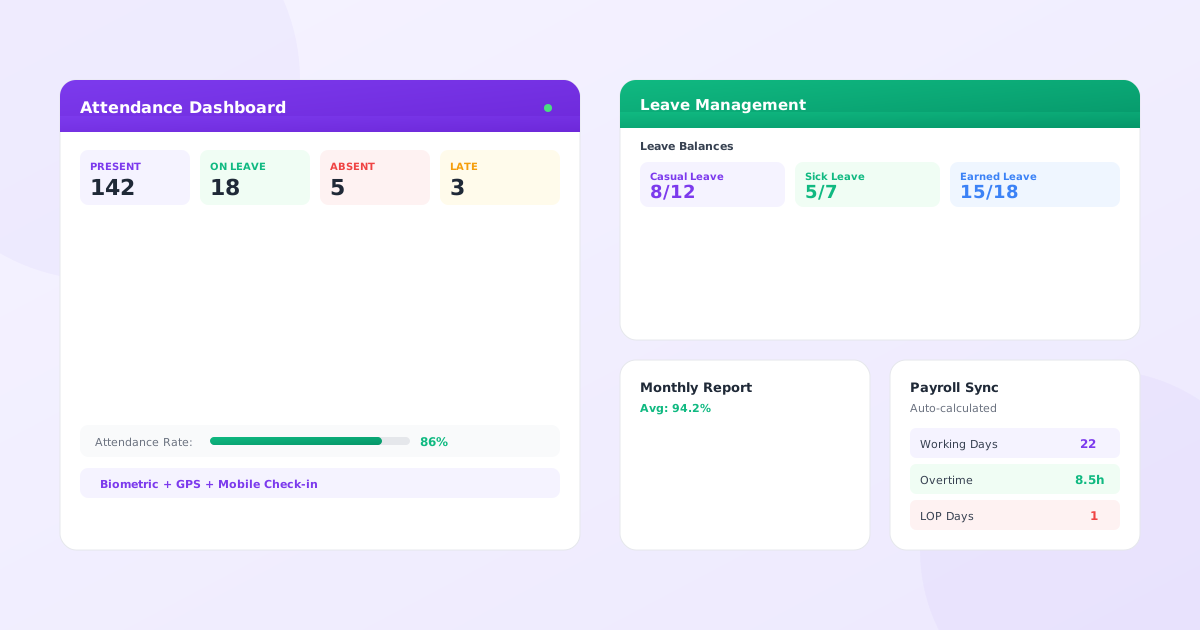
That pile of attendance registers on your desk? It is costing you more than office space.
Manual attendance tracking and leave management eat up an estimated 30-40% of an HR manager’s time. That is two full days every week just managing who came to work and who took leave.
And it gets worse. Buddy punching costs Indian companies thousands every month. Payroll errors from wrong attendance data lead to angry employees. Compliance issues pile up because you cannot find that attendance record from six months ago.
There is a better way. Modern leave and attendance management systems automate everything. No more registers. No more Excel sheets that break. No more chasing managers for leave approvals.
This guide covers everything you need to know about attendance and leave management. Whether you are an HR manager tired of manual work, a business owner looking to cut costs, or an IT decision-maker evaluating options, you will find answers here.
Here is everything you need to know.
Key Takeaways
- Manual attendance tracking costs Indian companies an estimated Rs 24-48 lakh/year for 100 employees
- Automated systems pay for themselves in 1-2 months with 10-15x ROI based on time, error, and theft savings
- Cloud solutions start at Rs 50/employee/month with no hardware needed
- Implementation takes 6-8 weeks with proper planning and parallel testing
- Biometric + GPS + mobile check-in eliminates buddy punching completely
- Direct payroll integration eliminates salary calculation errors and saves 3-4 days of monthly processing time
What is a Leave and Attendance Management System?
Simple Definition
A leave and attendance management system is software that automatically tracks when employees come to work, how long they stay, and when they take time off. Think of it as your digital attendance register and leave ledger combined into one smart system.
Instead of marking attendance on paper or Excel, employees check in through an app, biometric device, or web portal. Instead of filling leave forms and waiting days for approval, they apply online and get instant responses.
The system does all the calculations. It knows who is present, who is absent, who is on leave, and who is late. It calculates overtime, tracks leave balances, and generates reports automatically.
How It Works
Here is the basic flow:
For Attendance:
- Employees check in when they arrive at work using a mobile app, biometric scanner, or web login
- The system records the exact time
- When they leave, they check out
- The system calculates total hours worked automatically
- If someone is late, the system flags it
- If someone works overtime, it calculates extra hours
- All automatic, no human intervention needed
For Leave:
- Employees apply for leave through the system
- The request goes to their manager instantly
- Manager approves or rejects with one click
- The system updates leave balance automatically
- No paperwork, no emails back and forth, no confusion about how many leaves are left
For Reporting:
- At month end, the system generates attendance reports
- It shows exactly who worked how many hours
- It feeds this data to payroll software for accurate salary calculation
- Everything matches perfectly
Leave Management vs Attendance Management
These are two sides of the same coin, but they serve different purposes.
Leave management handles planned absences. Vacations, sick days, casual leaves, maternity leave, compensatory offs. It tracks how many leaves each employee has, how many they have used, and how many are left. It manages the approval workflow and maintains historical records.
Free download: Grab our leave policy template, casual leave application format, and 50+ HR templates — pre-formatted for Indian businesses with state holiday calendars and accrual rules built in.
Attendance management tracks daily presence. Who came to work today? What time did they arrive? When did they leave? How many hours did they work? Were they on time or late?
You need both working together. Why? Because accurate payroll needs both pieces. If someone was absent, was it approved leave (paid) or unauthorized absence (unpaid)? If someone worked extra hours, should they get overtime pay or compensatory off?
When these two systems work together in an integrated attendance and leave management solution, everything becomes crystal clear. One source of truth for who worked when and who took time off.
Why Does Manual Attendance and Leave Tracking Fail?
Manual systems create a mess. Here is what goes wrong.
Common Problems with Manual Systems
Buddy punching is huge. Your friend marks your attendance because you are running late. Happens all the time with paper registers or punch cards. Costs companies real money every single day.
Human errors pile up fast. Someone writes 9:15 instead of 9:45. Another person forgets to mark attendance for three employees. The HR executive adds wrong totals in Excel. Each mistake creates payroll problems down the line.
Lost or misplaced records are a nightmare during audits. That attendance sheet from last month? Cannot find it anywhere. The leave form someone submitted? Lost somewhere in the pile of papers. When audit time comes, you scramble to recreate records from memory.
Delayed leave approvals frustrate everyone. Employee submits paper form. It sits on manager’s desk for three days. Manager approves but forgets to inform HR. Employee books flight tickets assuming approval went through. Then chaos follows.
Payroll discrepancies happen every single month. Attendance data does not match what payroll shows. Employees complain their salary is wrong. You spend hours fixing it manually. Next month, same story repeats.
No real-time visibility into who is working right now. Is the team present today? You have to physically check or wait until end of day to count registers. Cannot plan urgent meetings or assign time-sensitive work.
Compliance tracking becomes impossible with manual records. During labor department inspections, you need attendance records from past two years. Good luck finding and verifying those old paper registers. One missing page can create serious legal issues.
Real Cost of Manual Tracking
Here are the actual numbers.
For a company with 100 employees, an HR person spends about 2 hours daily on attendance and leave administration alone. That is 40 hours per month. At Rs 500 per hour loaded cost (salary plus benefits), that is Rs 20,000 monthly just on administrative work.
Buddy punching and time theft? Industry estimates suggest 5-10% payroll leakage is normal with manual systems. For those 100 employees at average Rs 30,000 salary, that is Rs 1.5-3 lakh lost every single month to ghost hours.
Payroll errors from wrong attendance data lead to expensive rework. Accounting team spends another 10 hours monthly fixing discrepancies and handling employee complaints.
Employee morale drops significantly when salaries are consistently wrong.
Compliance penalties hurt the bottom line too. One missing attendance record during a labor department inspection can cost Rs 50,000-2,00,000 in penalties and legal fees.
Add it all up. Manual tracking costs Rs 2-4 lakh monthly for a 100-person company. That is Rs 24-48 lakh yearly burning away.
Why Businesses Are Switching to Automated Systems
The shift to automation is happening fast across India. Smart business owners see the math clearly.
Automated employee attendance systems cost Rs 5,000-20,000 monthly for 100 employees. They save Rs 2-4 lakh monthly in time wastage, errors, and theft. ROI is blindingly clear in 2-3 months.
But it is not just about money. Automated leave attendance management systems give you complete control. You know exactly what is happening with your workforce in real-time. Data helps make better decisions about hiring, scheduling, and resource allocation.
Employees actually like automated systems too. Easy mobile apps for check-in. Instant leave approvals. Transparent leave balances visible anytime. No confusion, no disputes, no favoritism.
The question is not whether to automate anymore. It is when to do it and which system to choose.
Key Features of Leave and Attendance Management Systems
Here is what modern attendance and leave management systems do.
Attendance Tracking Features
Modern systems offer multiple ways to mark attendance. Choose what fits your business model.
Biometric check-in is the most popular option in India. Employees scan fingerprint or face at a device installed at the office entrance. Cannot fake biometric identity, cannot do buddy punching. The device connects to the cloud system and records attendance data instantly.
Face recognition technology is getting better every year. No touching needed (which became very important post-COVID). Works accurately even with masks on. Some advanced systems now recognize employees from 2-3 meters away while they are walking.
Web-based check-in works perfectly for office workers with computers. Log into the portal, click Check In button. System records exact time and IP address. Simple but very effective for trusted teams working from desks.
Mobile app with GPS tracking is perfect for field staff who never come to office. Sales teams, delivery personnel, service engineers who work at client locations. They check in through the mobile app. GPS confirms their actual location. Geofencing ensures they are at the right place before allowing check-in.
Some innovative systems support QR code scanning. Office displays a unique QR code on a screen. Employees scan it with their mobile camera to check in. Quick, contactless, and paperless.
RFID cards work like metro cards or access cards. Employees tap their card at a reader device. System records attendance immediately. Good for large offices with multiple entry points that need fast processing.
Real-time monitoring dashboard shows who is present right now at this exact moment. Live dashboard displays current headcount by department, location, or shift. Extremely helpful for managers planning urgent work assignments.
Shift management capabilities handle different work timings seamlessly. Configure multiple shifts like morning shift (6 AM-2 PM), evening shift (2 PM-10 PM), night shift (10 PM-6 AM). Assign employees to specific shifts. System automatically knows which shift timing applies to which employee.
Overtime calculation happens automatically based on your rules. If someone works beyond their shift hours, the system counts exact extra time. You can set rules for when overtime starts, maximum hours allowed, whether approval is needed, and overtime rates.
Late arrival and early departure tracking flags attendance issues. Set grace period (say 10 minutes). Anyone arriving later gets automatically marked late. Similarly for early leaving. Managers get automated alerts about repeated violations.
Half-day and break management tracks partial attendance accurately. Someone comes for only half day? System calculates proportional hours worked. Long breaks for lunch or personal work? Can be tracked separately if needed.
Leave Management Features
This is where good systems really shine and save massive HR time.
Leave types configuration lets you set up all your company policies. Casual leave, sick leave (see our ready-to-use sick leave application templates), earned leave, privilege leave, maternity leave, paternity leave, bereavement leave, compensatory off, work from home days. Each leave type has completely different rules. The system handles all of them simultaneously.
Leave balance tracking shows real-time available leaves to everyone. Employees see their current balance anytime they want. No need to send emails asking HR. Balances update automatically the moment leaves are approved or consumed.
Leave request and approval workflow makes the entire process smooth. Employee selects leave type, chooses dates, adds reason, and submits. System instantly checks if sufficient balance is available. Sends automated request notification to manager. Manager gets push notification, reviews details, approves or rejects with one click. Employee gets instant notification about the decision. Entire process completes in minutes instead of days.
Multi-level approval workflows work seamlessly too. Leave request automatically goes to immediate manager first, then department head, then HR in sequence. Each approver sees the request at the right time with complete context.
Leave calendar visualization shows team availability clearly. Managers see at a glance who is on leave on which dates. Color-coded calendar view makes planning super easy. Helps avoid approving too many people on the same critical dates.
Substitute or backup assignment ensures work continuity when someone is away. When applying leave, the employee can assign their pending tasks to a colleague. System automatically notifies the backup person with task details.
Leave encashment calculation for unused leaves at year-end. System knows exactly how many leaves can be encashed, at what rate, under what company conditions. Calculates the payable amount automatically for payroll processing.
Carry-forward and lapse rules are configured once and run automatically. Some leave types carry forward to next year, others lapse. The system handles this automatically at financial year-end without any manual tracking.
Holiday and weekend management is built into the core. Configure national public holidays, regional state holidays, optional holidays employees can choose. Set weekends by location (5-day or 6-day week). System knows not to count these as working days in reports.
Reporting and Analytics
Data becomes powerful only when you can analyze it easily.
Attendance reports come in every format you need. Daily attendance sheet showing who is present and absent. Weekly summary by department showing trends. Monthly detailed report with total hours, late marks, overtime hours. Generate whatever format management needs.
Leave reports show usage patterns over time. Who takes most leaves in the company? Which months have highest absenteeism? Department-wise leave consumption analysis. These insights help with workforce planning and policy decisions.
Absenteeism analysis highlights potential problems early. If someone is frequently absent on Mondays and Fridays, the system automatically flags this pattern. Long-term trend charts show if overall absenteeism is increasing quarter-over-quarter.
Department-wise insights help compare team performance. Is the marketing team taking more unplanned leaves than sales? Is one shift consistently more punctual than another shift? Hard data reveals the truth.
Individual employee reports for annual performance reviews. Show attendance percentage, average arrival time, total overtime hours, leave usage pattern over the past 6-12 months. Objective data for appraisals.
Export to Excel or PDF for easy sharing with management. Generate any report, download in preferred format, email to stakeholders. Some advanced systems auto-email specific reports daily or weekly to configured recipients.
Custom report builder for power users who need specific data cuts. Select exactly which fields you want to see, set your own filters, create completely custom report formats. Save templates for repeated use every month.
Integration Capabilities
No HR system works effectively in isolation. Integration multiplies the value exponentially.
Payroll integration is the most critical connection. Attendance data flows automatically to payroll software without any manual exports. System calculates exact working days, overtime hours, unpaid leave days. Salary computation becomes accurate and lightning fast.
Modern HR management software combines attendance, leave, payroll, and performance management in one integrated platform, eliminating all data silos.
HRMS integration creates a single source of truth for employee data. When someone joins the company, their data flows automatically from HRMS to the attendance system. When someone resigns, attendance access is removed automatically on the last working day. Zero manual coordination needed.
Email and calendar sync sends leave approvals directly to Outlook or Google Calendar. Approved leave automatically appears on everyone’s shared calendar. No more confusion about who is available when.
Project management tool integration helps track billable hours. Which project did the employee work on today? Attendance systems can capture this granular data and send it to tools like Jira, Asana, or Monday.com for accurate project billing.
Access control system integration is a smart cost-saver. The same biometric attendance device also controls physical door access. One device serves two critical purposes. Only employees with proper authorization can enter restricted areas.
Employee Self-Service Portal
Putting power directly in employee hands dramatically reduces HR workload.
Mobile app for check-in and check-out means employees do not need any special hardware at their desk. Their smartphone becomes their attendance device. GPS verification ensures they are at the office or other approved locations.
View attendance and leave balance anytime, anywhere. Employees check their own data whenever they want. No need to call HR or send emails asking for information. Complete transparency builds organizational trust.
Apply for leaves in literally seconds. Open mobile app, select dates on calendar, choose leave type, add reason, submit. Done in under a minute. Can even apply from vacation spot, not just from office.
Download attendance reports for personal record-keeping. Employees can generate and download their own monthly attendance reports. Useful for visa applications, home loan documents, or personal tracking purposes.
Request corrections when genuine errors happen. Forgot to check in one day? Submit correction request through the system with valid reason. Manager reviews request and approves if the reason is legitimate.
View team calendar to see who else is on leave. Helps employees plan their own leave requests better. Can coordinate with team members before applying to ensure adequate coverage.
Admin and Manager Features
Back-end administrative control is equally important as front-end usability.
Configurable approval workflows put you in complete control. Define exactly who approves what type of requests. Different workflows for different teams, departments, or leave types. System enforces all rules automatically without exceptions.
Bulk import capabilities save massive setup time. Upload entire employee list from Excel file. Import historical attendance data from old system. Configure leave balances for everyone in one go. Everything happens in efficient batches.
Policy configuration flexibility puts all control in your hands. Set exact working hours, grace period minutes, overtime calculation rules, leave accrual policies, holiday calendars. Everything is customizable to match your unique company policies.
User role management controls data access tightly. HR admins see everything across the company. Managers see only their direct team data. Employees see only their personal information. Multi-layer security maintained properly.
Notifications and alerts keep everyone informed automatically. Email or SMS when leave gets approved. Alert manager when someone is repeatedly late. Remind employees when leave balance is running low. All automated.
Audit logs and trails track every single change in the system. Who approved what leave request and when? Who manually modified attendance data and why? Complete audit trail available for compliance verification and security investigations.
What Are the Benefits of an Attendance and Leave Management System?
Let us talk about real, measurable benefits instead of marketing fluff.
For HR Teams
Save 15-20 hours every single month on repetitive attendance and leave administration tasks. That is nearly half a work week freed up completely. HR professionals can redirect this time to strategic work like recruitment, training programs, and employee engagement initiatives.
Eliminate manual calculation errors completely and permanently. The system calculates everything using fixed formulas. No wrong Excel formulas. No typing mistakes in registers. Accuracy immediately jumps to 99%+ from 85-90% with manual methods.
Dramatically faster payroll processing because all required data is already digital, verified, and formatted correctly. What used to take 3-4 days of intense work now takes just a few hours. Modern payroll systems integrate directly with attendance systems, making monthly salary calculation almost instant.
Effortless compliance management during government audits and inspections. Need complete attendance records from 3 years ago? Search by employee name or date range and print verified reports in minutes. All data is perfectly organized, timestamped, and tamper-proof with digital signatures.
Access to better data for informed decision making through advanced reports and analytics. See patterns and trends you never noticed with manual tracking. Make data-driven decisions about hiring needs, scheduling optimization, and policy improvements.
Massively reduced paperwork means less money spent on printing, filing cabinets, and storage space. Go green and sustainable while simultaneously saving valuable office space.
For Employees
Incredibly easy leave application is consistently the most loved feature by employees. No printing multiple-page forms. No running after managers for physical signatures. Apply from smartphone in literally 30 seconds from anywhere.
Real-time leave balance visibility ends all confusion forever. Employees always know exactly how many casual leaves, sick leaves, and earned leaves they currently have available. Can confidently plan family vacations months in advance.
Much faster leave approvals mean significantly less stress. Average approval time drops dramatically from 2-3 frustrating days to just a few hours. Sometimes even minutes if the manager happens to be online and gets instant notification.
Complete attendance transparency builds genuine organizational trust. Employees see exactly what the system recorded with timestamps. If they checked in at 9:05 AM, it clearly shows 9:05 AM. No room for disputes about “you were late” accusations.
Mobile convenience especially for field employees who travel constantly. Check in from client location using GPS. Apply leave while traveling for work. Do not need to physically be in office to handle attendance matters.
Zero disputes over attendance records because all data is accurate, timestamped, and digitally verifiable. System records cannot be manipulated by anyone. Everyone sees the same objective truth.
For Business Owners
Immediately reduce payroll costs by completely stopping time theft and ghost employees. Eliminate buddy punching fraud overnight. Track actual productive hours worked. Most companies save 5-10% on total payroll costs immediately after implementing biometric attendance.
Significantly better workforce planning through data-driven analytics and insights. Know real employee utilization rates with precision. See clearly if you are genuinely understaffed or actually overstaffed in departments. Plan future hiring based on hard data instead of gut feelings and assumptions.
Strong compliance with complex Indian labor laws protects your company from expensive penalties. System automatically maintains all legally required records. Helps comply with Factories Act attendance requirements, Shops and Establishments Act provisions, and other regional regulations.
Powerful data-driven insights reveal hidden operational problems early. Sudden high absenteeism in one specific department? Address the underlying management issue. Excessive overtime becoming normal? Investigate root causes of understaffing or poor planning.
Easily scalable as business grows rapidly without proportional cost increases. The same system efficiently handles 100 employees or 1,000 employees. Just add more user licenses. No need to hire additional HR staff just for attendance administration.
Clear ROI achieved in just 6-12 months typically for most Indian companies. Initial investment pays for itself completely through measurable savings in wasted time, costly errors, and prevented theft. After payback period, it is pure bottom-line profit improvement.
Compliance and Legal Benefits
India has notoriously complex labor laws across states. Automated systems help you stay compliant effortlessly.
Factories Act compliance requires maintaining detailed attendance registers for all workers and staff. The system maintains these digitally with all mandatory fields. Can instantly print certified copies whenever labor inspector visits.
Shops and Establishments Act mandates accurate leave records, overtime calculation limits, and maximum working hours tracking. System monitors everything automatically in real-time. Flags potential violations before they actually happen.
Maternity Benefit Act requires very specific leave tracking for 26 weeks. System can configure maternity leave properly, calculate entitled pay accurately, and maintain records for legally required 3 years.
ESI and PF regulations need precise attendance data for correct contribution calculations. Attendance data flows seamlessly to ESI/PF compliance software. Ensures perfectly correct calculations every month.
Accurate digital records for audits protect you significantly during labor department inspections. Digital records with automatic timestamps and complete audit trails are far more legally credible than old paper registers.
Statutory reports generated instantly whenever needed. Need Form D for factory inspector visit? System generates it in seconds. Need complete leave register for Shops Act compliance? Click and print instantly.
See How 500+ Hyderabad Companies Automated Attendance
HRSoftwareHyderabad combines biometric attendance, leave automation, and payroll integration in one platform built for Indian businesses.
What Are the Types of Attendance and Leave Management Systems?
Not all systems are built the same way. Choose carefully based on your specific needs.
Cloud-Based Systems
These run entirely on the vendor’s secure servers. You access them through any internet browser.
Access from literally anywhere is the biggest operational advantage. HR team can work efficiently from home. Employees can check in from branch offices across cities. Managers can approve urgent leaves while traveling internationally.
Zero server maintenance hassle means no IT infrastructure headaches for you. Vendor handles all servers, regular backups, security patches, system updates. You simply use the software without worrying about technical backend.
Automatic updates bring new features and improvements regularly. No need to manually reinstall software versions. No paying extra for major upgrades. You always automatically have the latest version with newest features.
Much lower upfront cost makes it affordable even for small businesses. No need to purchase expensive servers. No large perpetual software licensing fees. Simple pay-as-you-go model. Predictable subscription pricing that fits budgets easily. Typically Rs 50-200 per employee per month in India.
Scale user count up or down flexibly as your company grows or shrinks.
Best suited for: Small and medium businesses under 500 employees, startups with limited IT budget, companies with multiple office locations, remote-first teams, businesses without dedicated IT infrastructure or staff.
On-Premise Systems
Software gets installed directly on your company’s own servers in your office.
Installed on your company servers gives you complete physical control. Entire system runs on your hardware located in your premises. All processing happens locally.
Full data control appeals strongly to security-conscious companies and industries. All sensitive employee data stays permanently on your own servers. Never leaves your physical premises or country.
One-time perpetual licensing instead of ongoing monthly subscription payments. Pay substantial amount upfront once. Much smaller annual maintenance cost after that (15-20% typically).
Significantly higher upfront cost ranging from Rs 50,000 to Rs 5,00,000 depending on employee scale and features. Plus additional costs for server hardware, dedicated IT staff for ongoing maintenance.
Best suited for: Large enterprises with 500+ employees, data-sensitive industries like banking or defense, companies with strong existing IT infrastructure and teams, businesses with one-time capital budget approval processes.
Mobile-First Systems
Designed primarily and specifically for smartphone usage rather than desktop.
Optimized for smartphones means genuinely better mobile experience than desktop. User interface specifically designed for small touchscreens, not just desktop software awkwardly shrunk down.
Built-in GPS and geofencing precisely track field employee locations. System knows with certainty if salesperson actually visited the client site or just marked fake attendance from home.
Perfect for field employees who literally never come to physical office. Sales teams visiting clients, delivery personnel on roads, service engineers traveling to customer locations, field supervisors managing remote sites.
Best suited for: Companies with large field sales force, logistics and delivery businesses, sales-heavy organizations, service companies with traveling technicians, businesses with distributed workforce.
Biometric-Integrated Systems
These bundle specialized hardware devices with attendance software.
Hardware plus software bundle sold together. You get biometric scanning devices along with cloud or on-premise attendance software. Devices connect to software automatically and seamlessly.
Fingerprint, face, or iris recognition prevents all identity fraud. Absolutely cannot fake unique biometric identity. Completely eliminates costly buddy punching fraud overnight.
Eliminates buddy punching and saves substantial money immediately. Industry studies consistently show 20-30% reduction in time theft within first month after biometric implementation.
Best suited for: Manufacturing units and factories, offices with fixed physical locations, businesses with documented past time theft issues, companies requiring very strict attendance control and verification.
| System Type | Best For | Cost Range | Setup Time | Maintenance |
|---|---|---|---|---|
| Cloud-Based | SMEs, startups, remote teams | Rs 50-200/employee/month | 1-2 weeks | Vendor-managed |
| On-Premise | Large enterprises, banking, defense | Rs 50K-5L one-time + AMC | 4-8 weeks | Internal IT team |
| Mobile-First | Field teams, logistics, sales | Rs 80-150/employee/month | 1 week | Vendor-managed |
| Biometric-Integrated | Factories, offices with fixed locations | Rs 5K-25K/device + software | 2-4 weeks | Hardware + software vendor |
How to Choose the Right Leave Attendance Management System
Choosing the wrong system wastes significant time, money, and creates employee frustration. Here is how to choose correctly.
Assess Your Business Needs First
Start by deeply understanding what you actually need, not what sounds impressive.
Company size and total employee count matters most in selection. A system perfect for 20 employees is completely wrong for 2,000 employees. Know your current exact number. Also plan for realistic growth over next 2-3 years.
Industry type and work nature dramatically affects required features. Manufacturing absolutely needs shift management and biometric hardware. IT companies need flexible work hours and work-from-home tracking capabilities. Retail needs multi-location support across cities.
Work model of your workforce determines best tracking method. Office-based employees? Biometric devices work perfectly. Fully remote teams? GPS-enabled mobile check-in is essential. Hybrid model? You need both options available.
Multiple locations versus single site? Multi-location businesses absolutely need centralized cloud system with location-wise detailed reporting. Single office can manage with simpler, cheaper solutions.
Shift patterns and complexity heavily influence system choice. Fixed office hours like 9 AM-6 PM are simple to configure. Rotating shifts in 24/7 manufacturing are highly complex. System must handle your specific shift complexity.
Must-Have Features Checklist
Do not get distracted by fancy features you will realistically never use. Focus strictly on essentials.
- Extremely easy to use is absolutely non-negotiable. If the system is complicated or confusing, employees simply will not use it properly. HR will struggle daily. Adoption completely fails. Look for clean, intuitive, obvious interface.
- Solid mobile app availability is essential in 2026. At least 50-60% of employees now expect convenient mobile access. Make sure the app is genuinely good, not just desktop software poorly squeezed onto tiny phone screen.
- Integration with your existing systems prevents duplicate manual work. Must integrate seamlessly with your current payroll system. Should connect smoothly with HRMS platform if you already have one. Carefully verify all integration capabilities before purchasing.
- Full compliance with Indian labor laws is crucial for avoiding penalties. System should natively support all Indian leave types, regional holiday calendars, state-specific labor law reporting requirements. International systems often lack these India-specific features.
- Highly customizable leave policies because every company is genuinely different. You should be able to configure complex rules that exactly match your printed employee handbook policies.
- Reliable, responsive customer support saves you when critical problems hit. Carefully check support hours. Is it phone support, email only, or just online ticket system? How fast do they typically respond? Read honest reviews specifically about support quality.
- Strong data security measures protect highly sensitive employee information. Look for end-to-end encryption, secure certified servers, regular automated backups, granular role-based access controls. Ask directly about compliance with data protection standards.
Budget Considerations
Understanding total real cost prevents nasty surprises later.
Common pricing models vary widely across vendors:
Per employee per month (PEPM) is most common for cloud SaaS systems. Ranges typically from Rs 50-200 PEPM based on features included. For 100 employees, that is Rs 5,000-20,000 monthly or Rs 60,000-2,40,000 total yearly.
Annual licensing with discount gives better effective rates. Pay for 12 months upfront, often get 2 months free type deals. Total ranges Rs 50,000-3,00,000 annually depending on company size and feature tier.
One-time purchase plus AMC model for on-premise installations. Pay Rs 2,00,000-10,00,000 large upfront amount. Then mandatory 15-20% annual maintenance charges. Works out genuinely cheaper only after 3-4 years but requires large upfront capital budget.
Hidden costs to watch carefully:
- Implementation and setup charges for initial configuration and deployment. Can range from Rs 10,000-1,00,000 depending on complexity and customization needed. Sometimes included in base price, sometimes charged separately.
- Training costs if vendor charges extra for training sessions. Some vendors include initial training free, but charge for additional refresher sessions or training new batches.
- Biometric hardware costs add Rs 5,000-25,000 per physical device. Large offices need multiple devices at different entry points. Multiple locations multiply this cost significantly.
- Customization fees if you absolutely need special features or workflows. Can range dramatically from Rs 20,000 for minor tweaks to Rs 2,00,000+ for complex custom development work.
- Ongoing support charges might be extra after first year included period. Clearly check what is included in base subscription price versus what costs extra annually.
Vendor Evaluation Process
The system is only as good as the company providing it.
Thoroughly check customer reviews on Google Business, software review sites like Capterra, LinkedIn company page. Specifically look for detailed reviews from companies similar to yours in size and industry.
Always request live demo and free demo before making purchase decision. See the actual working product, not just marketing presentation slides. Test it hands-on with your own HR team. Demo period should be at least 15-30 days minimum.
Carefully verify uptime and reliability by directly asking current customers for references. What is guaranteed server uptime percentage? How often does system actually go down? How fast are technical issues typically resolved?
Personally check customer support quality by calling their support number before you buy anything. See how fast they answer. How knowledgeable and helpful are support staff? This clearly tells you what support experience will be like after you become a paying customer.
Ask for reference customers specifically in your industry or city. Talk to them directly on phone. Ask honest questions about problems they faced, how smooth implementation went, how responsive is vendor to issues.
Carefully understand contract terms before signing anything. What is minimum commitment period required? Can you cancel mid-term? What happens to your data if you cancel? Any hidden lock-in clauses or auto-renewal terms?
Small Business vs Enterprise Needs
Different company sizes genuinely need very different solutions.
Startups and SMEs (under 100 employees): Need affordable cloud-based systems. Prioritize simplicity and ease of use over advanced features. Focus on core attendance and leave basics. Budget realistically Rs 5,000-15,000 monthly. Look for vendors serving small business segment with flexible plans.
Mid-size companies (100-500 employees): Need more advanced features and capabilities. Customization becomes important for unique policies. Multi-location support often needed. Better integration with payroll and HRMS systems. Budget Rs 15,000-50,000 monthly. Can consider on-premise if strong IT infrastructure already exists.
Large enterprises (500+ employees): Need highly scalable, robust, enterprise-grade systems. Advanced analytics and reporting. Dedicated account manager for support. Complex multi-level approval workflows. Budget Rs 50,000-2,00,000+ monthly. Often choose on-premise or private cloud deployment. Frequently need significant customization for complex policies.
Implementation Guide: How to Set Up Your System
Buying the system is actually the easy part. Implementing it correctly is the real challenge. Here is the proven approach.
Step 1: Planning Phase (Week 1)
A strong start makes everything downstream much easier.
Define requirements with crystal clarity. What exactly do you need the system to do? Make a comprehensive written list. Required attendance tracking methods, all leave types, shift patterns, specific reports needed, integration requirements. Be very specific and detailed.
Map current processes to understand what will change. How do you handle attendance tracking today? How are leave requests approved currently? Document existing workflow with flowcharts. This helps design improved new workflow properly.
Identify all stakeholders who must be involved for success. HR department head, IT manager, department heads from major teams, finance team for payroll integration, 3-4 employees from different levels to test usability. Get their active buy-in very early.
Set realistic timeline and adequate budget. Do not rush implementation to meet arbitrary deadlines. Plan properly for 6-8 weeks for complete, smooth rollout. Allocate sufficient budget for software, hardware, training, plus 20% buffer for unexpected costs.
Step 2: System Configuration (Week 2-3)
This is where you actually build your customized system.
Set up complete company structure in the software. Add all departments, office locations, reporting hierarchies accurately. Create organization tree that perfectly matches your real structure.
Configure all leave types and detailed policies. Add every leave type your company offers. Set initial balances, monthly accrual rules, carry-forward rules, specific approval workflows. Match your official HR policy document exactly word-for-word.
Define all shifts and schedules clearly. Create specific shift timings for each type. Define which employees work which shifts. Configure grace period minutes, overtime calculation rules, break time durations precisely.
Create appropriate user roles for data security. Super admin role with full access, HR admin role with most access, manager role with team access only, employee role with self-only access. Assign access rights very carefully.
Understanding modern HR software features comprehensively helps you configure the system to perfectly match your organization’s specific unique needs.
Step 3: Data Migration (Week 3-4)
Carefully moving existing data is absolutely critical for smooth transition.
Import all employee data from your current manual system or old software. Full names, unique employee IDs, departments, reporting managers, joining dates, current leave balances. Use standardized Excel templates that vendor provides.
Upload historical attendance data if you need continuity. Some companies import past 6-12 months for complete reporting history. Optional but often very helpful for trend analysis.
Set accurate leave balances for every single employee. How many casual leaves do they currently have available? Sick leaves? Earned leaves? Import this data very carefully with verification.
Thoroughly test data accuracy before going live. Manually spot-check 20-30 random employee records in detail. Verify all balances match source records perfectly. Fix any errors immediately before launch.
Step 4: Hardware Setup (If Applicable)
For biometric attendance or RFID card systems.
Install biometric devices at all office entry points. Mount devices securely and properly. Connect to reliable power supply and stable network. Position at ergonomically convenient height for easy access.
Configure network connectivity properly. All devices must communicate with central software reliably. Set up on company LAN network. Test internet connectivity carefully for cloud-based systems.
Test connectivity between physical devices and cloud/server software. Verify that attendance data is flowing correctly from device to system. Confirm real-time sync is working smoothly.
Set up backup options for device failures. What happens if biometric device fails? What if power outage? Always have manual entry option or backup device ready.
Step 5: User Training (Week 4-5)
The best system in the world fails completely if users do not know how to use it properly.
Train HR team first with deep, comprehensive training on all admin features. Complete system configuration, complex report generation, handling employee queries professionally, troubleshooting common technical issues. HR team should become absolute experts.
Train all managers next with focus on their specific needs. How to approve leave requests, check team attendance status, generate team performance reports. Keep it practical and relevant. Show real scenarios they will face daily.
Conduct employee orientation keeping it simple and quick. How to check in/check out easily. How to apply for leave. How to check current balance. Make it short 15-minute session or create simple video tutorial. Most employee features are intuitive.
Create detailed user guides as permanent reference documents. Screenshots with clear step-by-step instructions. One simple guide for employees, more detailed technical guide for HR and managers. Host permanently on company intranet.
Step 6: Go Live and Monitor (Week 6+)
Launch carefully and monitor closely.
Run parallel for 2 full weeks. Run new system alongside old manual process simultaneously. Compare results daily. Find and investigate any discrepancies. Fix issues immediately. Builds confidence before complete switch.
Actively collect honest feedback from all users. Ask employees what is genuinely confusing or difficult. What is not working smoothly? What could be better or clearer? Address major concerns immediately.
Fix reported issues very quickly to maintain user confidence and trust. If employees face problems repeatedly and get no response, they lose trust permanently. Be extremely responsive in the critical first month.
Complete full rollout only after parallel run succeeds completely. Officially announce old manual system is permanently discontinued. Everyone must use new system exclusively. Enforce consistently but support generously.
Common Implementation Mistakes to Avoid
Learn from expensive failures of other companies.
Not involving employees early enough creates strong resistance to change. They feel the system is being imposed upon them. Result: very poor adoption and complaints. Instead, form implementation committee with employee representatives. Actively get their input and address concerns.
Poor data migration execution causes disastrous day-one failures. Wrong leave balances, missing employee records, incorrect manager assignments. Employees lose trust in the system immediately and permanently. Invest serious time in careful data migration and thorough testing.
Completely inadequate training leaves users confused and frustrated. They struggle with basics, get extremely frustrated, actively resist using system. Then you are forced to mandate usage, creating deep resentment. Invest properly in comprehensive training to prevent this.
Choosing wrong vendor haunts you for years with regret. Poor customer support, persistent software bugs, promised features that never come. Do extremely thorough vendor evaluation before purchasing decision.
Completely ignoring change management means focusing only on technology implementation. But successful implementation is far more about people and process than software. Communicate clear benefits repeatedly. Address concerns seriously. Celebrate small wins publicly.
Leave and Attendance Management for Different Industries
One-size-fits-all approach fails badly. Different industries have genuinely unique needs.
IT and Software Companies
Technology companies need maximum flexibility.
Highly flexible work hours are standard expectation. No rigid fixed 9 AM-6 PM. Some people prefer coming at 7 AM, others at 11 AM. System should smoothly handle flexible timings without incorrectly marking everyone late.
Comprehensive remote work tracking is absolutely essential. Work from home, work from client site, work while traveling. System must accurately track productive work hours regardless of physical location.
Project-based attendance tracking helps accurate client billing. Which specific project did the developer work on today? Attendance system can integrate seamlessly with project management tools to capture this granular data.
Compensatory off management for weekend work is common. If someone worked on Saturday for release, they get comp off on Tuesday. System should automatically track this and adjust leave balances correctly.
Manufacturing and Factories
Manufacturing has very strict regulatory requirements.
Shift-based tracking is absolutely mandatory. Morning shift, evening shift, night shift, complex rotating shifts. Different workers on completely different shift schedules. System must handle very complex shift patterns seamlessly.
Biometric is absolute must-have to prevent proxy attendance fraud. With large worker populations of 500-1000, manual tracking is completely impossible. Fingerprint or face recognition ensures accurate headcount verification.
Strict compliance with Factories Act requires very specific attendance records. System should automatically generate all required registers and statutory reports.
Complex overtime calculations with different rates. Different overtime rates for regular hours versus night shifts versus Sundays versus public holidays. System should handle all calculation rules as per factory-specific policies.
Worker versus staff different rules in same system. Workers have completely different leave policies than office staff. Different shift timings. Different overtime rules. System should support multiple distinct employee categories simultaneously.
Retail and Hospitality
Retail businesses face unique operational challenges.
Part-time and seasonal workers need special handling. Not all employees are full-time permanent. Some work only few hours daily. Others work only during Diwali or Christmas festival season. System should support highly varied employment types.
Complex rotating shifts across all weekdays and weekends. Retail shops open all seven days. Staff members work on rotation basis. System must manage complex rotating schedules efficiently.
Multi-location tracking for retail chains. Same employee might work at different store locations on different days. System should track which location, consolidate all data centrally for reporting.
Weekend and holiday management is tricky. Retail is busiest on weekends and public holidays. These are normal working days, not offs. System should configure this correctly by location.
Healthcare
Hospitals and clinics need round-the-clock tracking.
24/7 shift patterns with absolutely no off days. Emergency services run continuously round the clock. Doctors and nurses work in rotating shifts covering all hours, all seven days.
Emergency leave handling for critical medical staff. Sometimes doctors needed urgently during emergencies. On-call duty suddenly converts to actual work. System should flexibly handle emergency attendance.
On-call duty tracking separate from regular attendance. Doctors on-call from home get compensated differently than those physically present at hospital. System must track both types accurately.
Doctor and nurse different policies in same system. Consultant doctors have completely different attendance patterns than resident doctors and nursing staff. Each category needs different configuration and rules.
Education Sector
Schools and colleges follow academic calendars.
Academic calendar integration instead of regular financial year. Academic year runs April to March or June to May. Summer vacation, Diwali break, exam periods. System should align perfectly with academic calendar.
Teacher and staff completely different rules. Teaching faculty get long summer vacation. Administrative staff might not get same. Different leave entitlements. System should support both categories properly.
Summer vacation management when entire institution physically closes. How to handle attendance during this 1-2 month period? System should support organization-wide closure periods.
Substitute teacher assignment when regular teacher is absent. Who will take the class? System should facilitate substitute allocation while applying leave.
Why Do Mobile App and Remote Work Features Matter?
The nature of work has fundamentally changed. Systems must adapt accordingly.
Why Mobile Apps Matter Critically
The smartphone has become the primary device for majority of employees.
A majority of the workforce now expects mobile access for everyday work tasks. Especially younger millennial and Gen-Z employees. They strongly prefer doing everything on phone. No good mobile app? They will actively resist your system.
Field employees absolutely need smartphone check-in capability. Sales teams visiting clients, delivery staff on roads, service engineers traveling. They never sit at desktop computers. Their phone is literally their office. Mobile attendance is the only practical option.
Real-time leave approvals keep work moving smoothly. Manager traveling? They can review and approve urgent leave requests from phone immediately. No frustrating waiting until they return to office desk.
Manager oversight on the go through powerful mobile app. Quickly check who is currently present in team. View detailed attendance reports. Mark attendance corrections. Everything possible from phone.
Key Mobile App Features
Good mobile apps do much more than just basic check-in functionality.
- GPS-based attendance with geofencing ensures employees are physically where they should be. Set virtual boundary around office or client site location. Employees can check in only when actually inside that defined boundary. Completely prevents fake attendance from home.
- Face recognition check-in using phone’s front camera. Take quick selfie to mark attendance. System matches with stored face photo in database. Much more secure than just pressing check-in button blindly.
- Selfie attendance with location combines face photo plus GPS coordinates. You see employee’s actual face and precise location on map when they checked in. Complete verification with proof.
- Push notifications for approvals bring attention immediately. Manager gets instant notification the exact moment someone applies leave. Can approve in seconds. Employee gets notification immediately when approved. Real-time workflow.
- Offline mode for areas with poor network connectivity. Employee can mark attendance even without internet. App stores data locally. Automatically syncs when connection returns. No missed attendance due to network issues.
- Team attendance view lets managers see current team status. Who is present, who is on leave, who is absent today. Plan work assignments accordingly with full information.
- Apply leave on mobile just as easily as desktop. Select dates on calendar, choose leave type, add reason, attach medical certificate photo if needed, submit. Takes literally 30 seconds total.
Remote and Hybrid Work Tracking
New normal work arrangements require new smart features.
Work-from-home attendance tracked separately from office attendance. Employees mark WFH attendance clearly. System knows they are working productively, just not at physical office. Reports show WFH versus office attendance separately for analysis.
Flexible timing management for remote workers. When working from home, strict 9 AM-6 PM might not apply. System allows flexible clock-in within defined window (say 7 AM to 11 AM start time).
Productivity tracking (optional feature) for remote teams. Some systems track active screen time, applications used, tasks completed. Highly controversial feature. Use very carefully, with complete transparency.
Virtual check-in without any location requirement. For fully remote workers, GPS verification does not matter. They simply click check-in to mark they have started work for the day.
Internet time tracking for billing or monitoring purposes. How long was employee connected online? Some WFH policies require minimum online hours daily.
How Secure Is Your Attendance Data?
Attendance systems store highly sensitive personal information. Security matters enormously.
What Data Is Collected
Understanding what is stored helps properly assess privacy risks.
Employee personal information like full name, photo, contact details, unique employee ID, department, designation. Basic identity and demographic data.
Biometric data if using fingerprint or face recognition systems. Highly sensitive personal data. Some countries legally classify this as protected personal data requiring special handling.
Location data from GPS-based mobile check-in. Shows exactly where employee was when marking attendance. Can potentially be used to track movement patterns over time.
Work hours and patterns revealing when employee works, how long, frequency of late arrivals, overtime patterns. Can indicate personal habits and lifestyle.
Security Measures to Look For
Protect this sensitive data properly.
- Strong data encryption both in transit and at rest. Data traveling between app and server should be encrypted. Data stored on servers should be encrypted. Ask vendor specifically about encryption standards used (AES-256, etc.).
- Role-based access control ensures only authorized people see sensitive data. HR admin sees everything. Managers see only their direct team. Employees see only their own personal data. Detailed access logs maintained.
- Complete audit trails record every single action. Who viewed which employee’s data when? Who approved what leave? Who manually modified attendance records? Complete tracking prevents misuse and fraud.
- Biometric data protection is special concern requiring care. Many vendors store biometric template (mathematical representation), not actual fingerprint image. Template cannot be reverse-engineered to recreate original fingerprint. Ask specifically how vendor stores biometric data.
- GDPR and data privacy compliance even though India does not fully enforce GDPR yet. Good vendors proactively follow international standards. Shows genuine commitment to privacy.
- Regular automated backups prevent data loss disasters. Daily automated backups. Stored securely in multiple locations. Can restore all data if system crashes or data gets corrupted.
- Secure certified servers with physical and network security. Where exactly are servers located? What security certifications do they have (ISO 27001, SOC 2)? For cloud systems, ask about data center security measures.
Employee Privacy Concerns
Balance legitimate business needs with employee privacy rights.
Transparent data usage builds organizational trust. Tell employees clearly what data is collected, why it is needed, how it is used, who can access it. Document properly in policy. Get written acknowledgment.
Explicit consent for biometric in writing before enrollment. Explain clearly why biometric is necessary. How data is stored securely. What protections exist. Get signed consent before enrolling fingerprints or face.
Location tracking limits to prevent misuse and surveillance. Track location only during work hours. Only when employee actively checks in. Not continuous 24/7 tracking. Make this limitation very clear.
Data retention policies define how long data is kept. Active employees: store everything. After resignation: how long? 3 years? 7 years? After that period, permanently delete. Follow policy consistently.
Integration with Payroll and Other HR Systems
Standalone systems have very limited value. Integration multiplies benefits exponentially.
Payroll Integration Benefits
This is absolutely the most valuable integration.
Automatic attendance data transfer completely eliminates duplicate manual entry. Month-end attendance goes directly to payroll software automatically. No manual Excel sheets. No human errors.
Perfectly accurate salary calculation based on exact actual working days. System knows exactly how many days employee worked. Payroll calculates salary accordingly. No overpayment for absent days.
Overtime and deductions handled completely automatically. Extra hours worked? System sends overtime hours to payroll. Absent without leave? System sends unpaid leave days for salary deduction.
Leave without pay handling is perfectly accurate. If someone exhausted all leaves and took additional days off, those are LOP (loss of pay). Attendance system marks them. Payroll deducts salary correctly.
Modern payroll management systems integrate seamlessly with attendance tracking, ensuring salary calculations are always perfectly accurate and completely dispute-free. Employees can even download their payslip directly from the self-service portal after payroll processing is complete.
HRMS Integration
Complete HR suite works much better together.
Single employee database means enter data once, use everywhere automatically. Employee joins? Add to HRMS. Data flows automatically to attendance, payroll, performance management systems. No duplicate entry.
Onboarding to offboarding complete lifecycle managed. New joinee gets attendance access on day one automatically. Resigned employee loses access on last working day automatically. Completely automated.
Performance management link uses attendance data for reviews. Performance review considers attendance percentage, punctuality record. Data flows automatically from attendance to performance module.
Understanding complete employee management ecosystem helps you see clearly how attendance fits into bigger HR picture.
Other Useful Integrations
Extend functionality even further.
Email and calendar integration with Outlook or Google Workspace. Approved leaves appear automatically on everyone’s calendar. Leave reminders via email. Attendance reports emailed automatically.
Slack or Teams notifications for modern digital workplaces. Get leave approval requests in Slack. Approve with one click without opening attendance system.
Access control systems integration is smart cost-saver. Same biometric device controls door entry and marks attendance. Save cost on separate devices.
Project management tools like Jira or Asana. Track which project employee worked on today. Helps in accurate project billing and time allocation analysis.
Cost and ROI of Leave and Attendance Management Systems
Here are the real costs and savings.
Pricing Models in India
Understand exactly what you will pay.
Cloud SaaS pricing: Rs 50-200 per employee per month is typical range in India.
- Basic plans: Rs 50-80 PEPM (simple features, small companies under 50)
- Standard plans: Rs 100-150 PEPM (most features, medium companies 50-500)
- Premium plans: Rs 150-200 PEPM (advanced analytics, enterprise features, 500+)
For 100 employees at Rs 100 PEPM, that is Rs 10,000 monthly or Rs 1.2 lakh total yearly.
On-premise licensing: Rs 50,000-5,00,000 one-time plus annual AMC.
- Small business under 100: Rs 50,000-1,50,000 one-time
- Medium business 100-500: Rs 1,50,000-3,00,000 one-time
- Enterprise 500+: Rs 3,00,000-10,00,000+ one-time
- AMC: 15-20% of license cost annually
Biometric hardware: Rs 5,000-25,000 per device depending on technology.
- Basic fingerprint scanner: Rs 5,000-8,000
- Face recognition device: Rs 12,000-18,000
- Advanced multi-modal biometric: Rs 20,000-25,000
Need multiple devices for large offices or multiple entry points.
Free options exist for tiny businesses under 10 employees. Limited features but functional for basic attendance and leave tracking needs.
ROI Calculation
Here is the detailed math that clearly justifies investment.
Time savings: HR spends 2 hours daily on attendance admin for 100 employees. That is 40 hours monthly. At loaded cost of Rs 500/hour (Rs 30,000 monthly salary plus benefits), you save Rs 20,000 monthly. That is Rs 2.4 lakh yearly. Add manager time saved on leave approvals. 30 minutes daily across all managers. Another Rs 10,000 monthly saved. Total time savings: Rs 30,000 monthly or Rs 3.6 lakh yearly.
Reduced payroll errors: Manual attendance causes overpayment. Conservative estimate of 2% payroll leakage. For 100 employees at average Rs 30,000 salary, total payroll is Rs 30 lakh monthly. 2% leakage is Rs 60,000 monthly or Rs 7.2 lakh yearly lost. Automated system reduces this by 80-90%. Save Rs 50,000+ monthly easily.
Time theft prevention: Buddy punching and late arrivals cause 5-10% productivity loss. Biometric system eliminates this completely. For same 100 employees, 5% productivity gain = Rs 1.5 lakh monthly value or Rs 18 lakh yearly benefit. Even capturing 50% of this gain conservatively means Rs 9 lakh yearly benefit.
Compliance savings: Avoid even one labor department penalty. Average penalty Rs 50,000-2,00,000. Probability of penalty without proper records: 10-20% yearly. Expected cost: Rs 10,000-40,000 yearly. With automated system: near zero risk.
Improved productivity: HR focuses on strategic work instead of admin. Estimated value: Rs 50,000-1,00,000 yearly in better recruitment, training, engagement initiatives.
Total annual benefit: Rs 3.6L (time) + Rs 6L (errors) + Rs 9L (theft) + Rs 20K (compliance) + Rs 50K (productivity) = Rs 19+ lakh yearly for 100 employees.
Investment: Rs 1.2 lakh yearly (cloud) or Rs 2 lakh first year including setup (on-premise).
ROI: 10x to 15x in first year. Complete payback in just 1-2 months.
Even if these estimates are 50% optimistic, ROI is still 5x+ which is excellent.
Hidden Costs to Consider
Budget for these additional costs too.
- Training costs: If vendor charges separately for training. Budget Rs 10,000-50,000 for comprehensive training across organization.
- Customization fees: Your unique requirements might need development. Can range from Rs 20,000 for minor changes to Rs 2,00,000+ for major customization.
- Data migration: Complex data migration might incur separate charges. Budget Rs 10,000-30,000 if vendor charges separately.
- Support renewals: After first year, support might cost extra. Typically 15-20% of license cost for on-premise. Included in subscription for cloud.
- Internet and infrastructure: For cloud systems, need reliable internet connection. For on-premise, need server and IT support. Factor these ongoing costs.
Top Features to Look for in 2026
Technology evolves rapidly. Look for genuinely modern features.
AI and Automation
Artificial intelligence makes systems dramatically smarter.
Predictive analytics for absenteeism uses historical data to forecast future. System analyzes patterns, predicts which employees likely to take leave when. Helps workforce planning significantly.
Smart shift scheduling suggests optimal shifts automatically based on employee preferences, skills, and business needs. AI creates schedule that maximizes both productivity and employee satisfaction.
Anomaly detection flags unusual patterns automatically. Employee who is always punctual suddenly late 5 days straight? System alerts manager automatically. Possible problem needs immediate attention.
Chatbot for leave queries answers common questions instantly. How many leaves do I have? Can I take leave next Friday? Employee asks chatbot, gets instant accurate answer. Reduces HR workload dramatically.
Advanced Biometrics
Beyond basic fingerprint scanning.
Contactless face recognition gained massive popularity post-COVID pandemic. No touching shared devices. More hygienic. Works accurately from 2-3 meters away. Much faster than fingerprint.
Iris scanning for ultra-secure environments. More unique than fingerprint. Extremely difficult to fake. Used in defense, banking, high-security facilities.
Voice recognition emerging slowly but surely. Employee speaks passphrase, system recognizes unique voice and marks attendance. Useful for phone-based check-in.
Multi-factor verification combines two methods for extra security. Face recognition plus PIN code. Or fingerprint plus phone verification. Extra security layer for sensitive facilities.
Employee Experience
Modern systems focus on user delight, not just bare functionality.
Simple UI/UX with clean, intuitive interface. Your grandmother should be able to use it without any training. That is the standard bar now.
Mobile-first design means mobile experience is primary, not afterthought. App not just desktop website awkwardly squeezed into phone screen.
Self-service everything empowers employees completely. Do not need to ask HR for anything. Check balance, apply leave, download reports, request corrections. All self-service.
Instant notifications via push, SMS, email. Real-time updates. No waiting or wondering. Applied leave? Instant confirmation. Approved? Instant notification.
Analytics and Insights
Data becomes valuable only when properly analyzed.
Attendance trends over time periods. Is punctuality improving or declining? Seasonal patterns? Which months have highest absenteeism rates?
Leave pattern analysis reveals valuable insights. Which leave types used most? Unused leave accumulation problems? Optimal time to plan team leaves?
Department comparisons show relative performance. Which team has best attendance? Where are problems concentrated geographically?
Predictive workforce planning uses data to forecast future needs. Based on attendance trends, project utilization. Plan hiring or workload distribution accordingly.
Common Challenges and Solutions
Implementation is not always perfectly smooth. Here is how to handle common problems.
Challenge 1: Employee Resistance
The problem: Employees actively resist new system. Continue using old method. Complain loudly that system is difficult or unfair.
Why it happens: Fear of change and unknown. Lack of understanding benefits. Bad past experience with technology. Feeling system is being imposed upon them.
Solution: Involve employees from very start. Form implementation committee including employee representatives from different levels. Get their genuine input on requirements. Show them demos. Address concerns early and seriously. Communicate clear benefits repeatedly. Not just management wants this. Explain specifically how it helps employees directly. Easy leave application. Transparent balance. Fair attendance tracking. Provide excellent comprehensive training. Make it genuinely easy to learn. Support generously in first critical month. Quick response to all queries. Celebrate and reward early adopters publicly.
Challenge 2: Biometric Failures
The problem: Device does not recognize fingerprint. Face recognition fails repeatedly. Hardware malfunctions. Employees marked absent despite being physically present.
Why it happens: Worn fingerprints common in manual workers. Poor lighting affecting face recognition. Dusty environment affecting sensors. Network connectivity issues.
Solution: Maintain devices regularly and properly. Clean sensors weekly. Update firmware promptly. Monitor device health through dashboard. Provide multiple backup methods. If fingerprint fails, allow face recognition. If both fail, allow manual entry by supervisor with reason. Multi-modal biometric devices offer options. Enroll multiple fingers for each employee. If one finger fails, they use another. Register both thumbs and both index fingers for maximum success rate. Quick issue resolution process. If employee faces consistent failure, re-enroll immediately. Do not make them struggle daily.
Challenge 3: Internet Connectivity
The problem: Internet down, cloud system completely inaccessible. Attendance not marked. Reports not generated. Payroll processing delayed.
Why it happens: ISP outages. Power outages affecting network. Server downtime. Scheduled network maintenance.
Solution: Choose vendors with high uptime SLA guarantee (99.5%+ minimum). Check past reliability record. Read honest reviews about downtime frequency. Offline mode in mobile apps. Employees can mark attendance. Data syncs automatically when connection returns. Local server backup for critical businesses. Some cloud systems offer hybrid model. Local backup server keeps copy. If internet fails, local server works. Syncs with cloud when connection returns. Multiple internet connections if attendance is business-critical. Primary ISP plus backup connection. Automatic failover between them.
Challenge 4: Policy Complexity
The problem: Company has 20 different leave types. Different rules for different employee categories. Complex accrual formulas. System cannot handle such complexity.
Why it happens: Policies grown over years. Different departments have different policies. Labor law requirements. Mergers combining different policies.
Solution: Start simple initially. Implement basic common leave types first. Get those working smoothly. Add complex policies gradually over time. Choose flexible system that allows deep customization. Not rigid, pre-configured-only systems. Document policies clearly before implementation. If you cannot explain policy clearly, system definitely cannot implement it. Clarity in policy document leads to clarity in system. Consider policy simplification. Maybe you do not genuinely need 20 leave types. Consolidate similar ones. Simpler policies are easier to manage and implement.
Challenge 5: Integration Issues
The problem: Attendance system does not talk to payroll software. Data export-import is manual. Errors in transfer. Integration promised but does not actually work.
Why it happens: Different systems use different data formats. Vendors oversell integration capabilities. Technical compatibility issues.
Solution: Test integration before buying anything. During demo, insist on seeing actual real integration. Not screenshots, actual data flow from attendance to payroll. Choose systems with open APIs. API (Application Programming Interface) allows systems to connect. More modern vendors provide robust APIs. If direct integration fails, use middleware. Integration platforms like Zapier or custom middleware can connect disparate systems. Budget for custom integration development if needed. Sometimes Rs 50,000-1,00,000 investment in custom integration saves Rs 2-3 lakh yearly in manual work.
Future of Attendance and Leave Management
Technology never stops evolving. Here is what is coming soon.
AI-powered predictions will become standard. System will predict who might leave company based on attendance patterns. Identify employees facing burnout early. Suggest optimal leave timing for individuals based on work patterns and team needs.
Blockchain for tamper-proof records is emerging. Once attendance is recorded on blockchain, it cannot be altered ever. Creates permanent, verifiable record. Useful for compliance and audits. Already piloted in some enterprises.
Wearable device integration is near future. Smart watches, fitness bands marking attendance automatically. Walk into office, attendance marked. Leave office, check-out automatic. No action needed from employee.
Voice-activated systems using smart speakers. Mark my attendance. Apply leave for tomorrow. Voice interfaces make it even easier.
Wellness integration combines attendance with health data. Attendance system notices someone is frequently tired based on check-in patterns. Suggests wellness program. Predicts potential sick leaves based on health trends.
Sentiment analysis from attendance patterns using AI. Delayed arrivals, frequent leaves, disengagement visible in data. HR gets early warning about employee dissatisfaction. Proactive intervention possible.
Augmented reality check-in might sound futuristic but coming. Point phone camera at office, AR overlay shows check-in button. Gamified experience. Younger workforce will love it.
Conclusion
Manual attendance tracking is draining your time and money every single day. Modern leave and attendance management systems fix this. They save 15-20 hours monthly per HR person. They eliminate payroll errors. They stop time theft completely. Most companies see full ROI in just 6-12 months.
Here is what to do next:
- Know your needs: Company size, industry type, work model
- Set your budget: Cloud (Rs 50-200 PEPM) or on-premise (Rs 50K-5L)
- Choose wisely: Test before buying, check support quality
- Implement right: Plan 6-8 weeks, train thoroughly
- Integrate everything: Connect with payroll and HRMS
The shift from manual to automated is not optional anymore. Companies automating now gain immediate advantage. Those waiting lose thousands every month.
One decision today can save you lakhs tomorrow.
Frequently Asked Questions
What is a leave and attendance management system?
It is software that automatically tracks when employees work and manages their leave requests digitally. Instead of paper registers, employees check in through mobile apps, biometric devices, or web portals. The system calculates work hours, leave balances, and overtime automatically, then sends data to payroll for accurate salary processing.
How much does an attendance and leave management system cost in India?
Cloud systems cost Rs 50-200 per employee monthly. For 100 employees, expect Rs 5,000-20,000 monthly. On-premise systems cost Rs 50,000-5,00,000 one-time plus 15-20% yearly maintenance. Biometric devices add Rs 5,000-25,000 each. Small businesses under 10 employees can find free basic versions. Most companies see ROI within 6-12 months.
Can small businesses use leave attendance management systems?
Absolutely yes. Cloud solutions start at just Rs 50-80 per employee monthly. Some vendors offer free plans for under 10 employees. Small businesses benefit most since they lack dedicated HR teams. The time saved and errors prevented justify the investment. Start with a basic cloud system and scale up as you grow.
What is the difference between cloud-based and on-premise systems?
Cloud systems run on vendor servers, accessed via internet. You pay monthly, get automatic updates, need no IT staff. Best for small-medium businesses. On-premise systems install on your servers. You pay large upfront cost, handle maintenance, control all data. Best for large enterprises. Cloud is cheaper and easier; on-premise gives more control but costs more.
How does biometric attendance work with leave management?
Biometric devices scan fingerprints or faces at check-in, sending data to the software instantly. This prevents buddy punching completely. The system knows if someone is absent due to approved leave or unauthorized absence. Approved leaves are paid, unauthorized ones trigger salary deductions. Everything feeds automatically into payroll for accurate calculations.
Is employee data safe in these systems?
Yes, when you choose reputable vendors. Look for encryption (data in transit and storage), role-based access controls, audit logs, and security certifications like ISO 27001. Biometric data is stored as mathematical templates, not actual fingerprints. Ask vendors about encryption standards, backup procedures, and data privacy compliance before purchasing.
Can the system handle multiple locations and complex shifts?
Yes easily. Configure different offices across cities, each with its own rules and devices. Create unlimited shift patterns (morning, evening, night, rotating, flexible). Assign employees to specific shifts. The system applies correct timing rules automatically. Works for fixed hours, 24/7 operations, and everything in between.
How long does implementation typically take?
Plan for 6-8 weeks for smooth rollout. Week 1: Planning. Weeks 2-3: Configuration. Weeks 3-4: Data migration. Week 4: Hardware setup. Weeks 4-5: Training. Week 6+: Testing and go-live. Small businesses can launch in 2-3 weeks. Large enterprises may need 10-12 weeks. Do not rush it, proper implementation ensures success.
Does it integrate with payroll software?
Yes, most modern systems integrate seamlessly. Direct API integration is best, attendance data flows to payroll automatically at month-end. Payroll calculates salary based on actual working days, overtime, and leaves. This eliminates manual entry and errors. During demos, ask to see actual integration working, not just screenshots.
What happens if internet connection is down?
Cloud systems need internet, so have backup plans. Choose vendors with 99.5%+ uptime guarantees. Use mobile apps with offline mode, attendance syncs when connection returns. Some systems offer local backup servers. On-premise systems work without internet. For critical operations, maintain a backup internet connection from a different ISP.
Ready to automate leave and attendance? View pricing or schedule a free demo today.
Not sure which HRMS to pick? Compare top HRMS alternatives side by side.
Related Guides
Follow HRSoftware Hyderabad on LinkedIn
Get weekly Telangana HR compliance updates, hiring trends, and SMB HR tips.
→